Date: 19 Feb 2025
- Burp suit : PROXY SERVER TOOL (traffic capture tool)
- web security testing tool
- used for pentest and vulnerability assessment of web apps
- intercepts, modifies and analyses web traffic between a browser
- default port : 8080 (listener).
Q) why burp?
- In pentration testing we have :
- client site vulnerability
- server site vulnerability.
Q)Being a pentester how will you tamper the data ?
- Burp is a tool which can be used to tamper the data, the request which is going from client to server site.
Steps to use Burp
- capture the request in burp.
analyze the requestespecially the parameter in which u can tamper- tamper the parameter
analyze the response
Step-by-step go through :
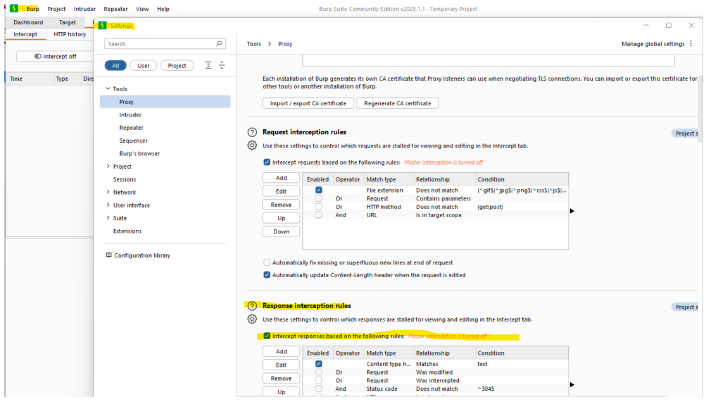
- enable the response (it is off by default)
- 3 options that you can see by going to the settings:
-
proxy listener
-
request interception rules
-
response interception rules
-
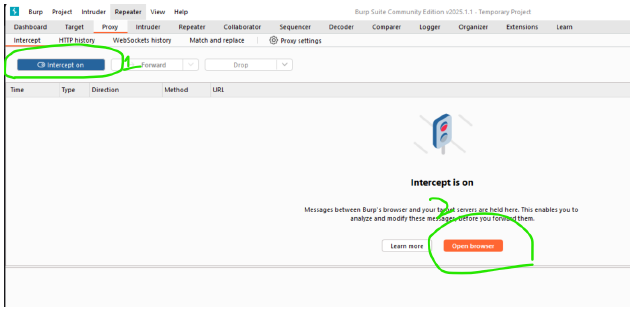
intercept--> on -
open browser
-
hit the TARGET SITE in the browser
-
captured traffic can be seen now.
-
click
forwardto get the response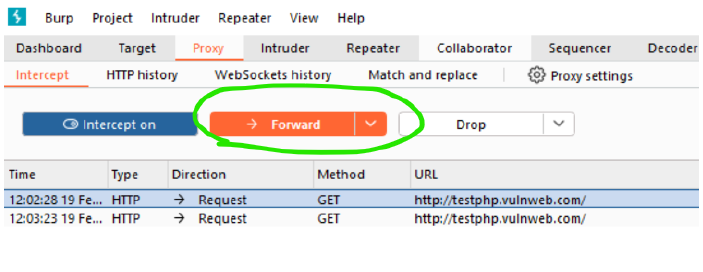

-
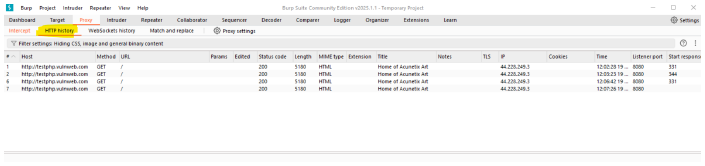
then check the history by going to the
HTTP history
-
we can find all the crawlies(spidering ) in the
target tab:
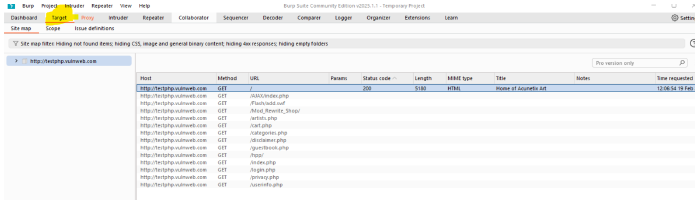
-
This is all basics about burp suit.
Step-by-step go through :
Installing firefox
- Install firefox .
- Open Chrome : Download.
- Concept :
- when we used the integrated browser of burp, we can use burp suite directly in the burp's browser to capture the traffic.
- But in foxyproxy standard , both the client and burp needs to be integrated with each other to capture the traffic.
-
Open in firefox : demo.testfire website
-
Then to integrate proxyfoxy and burp :
open the proxyfoxy-->options-->Proxies--> add & save it: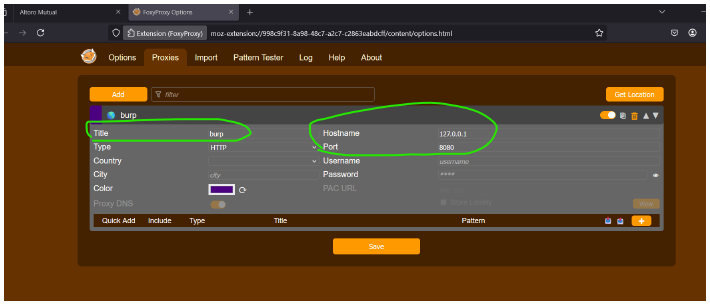
5. Open proxy select the option burp :
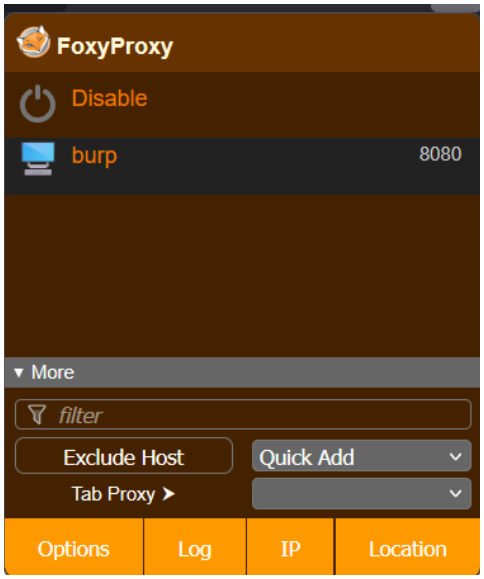
-
Go to firefox and type : http://burp
-
Download the CA certificate file.
-
press alt in firefox ,
tools->settings-> then search cert ->view certificates-> tick both -> thenok.
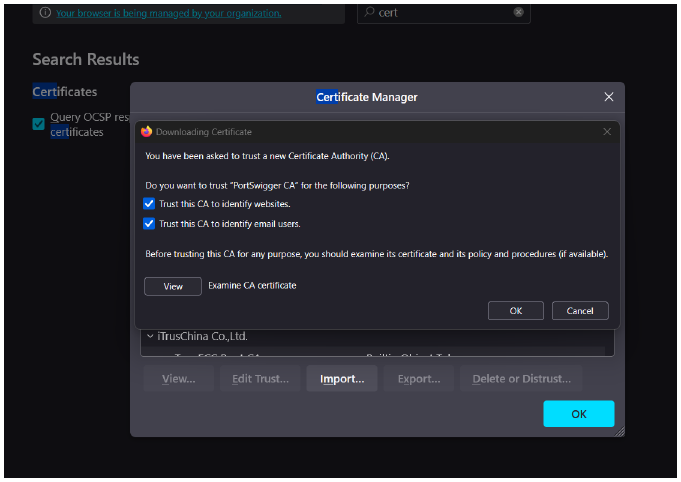
-
After doing intercept on in burp suite, hit demo.testfire ebsite in firefox.
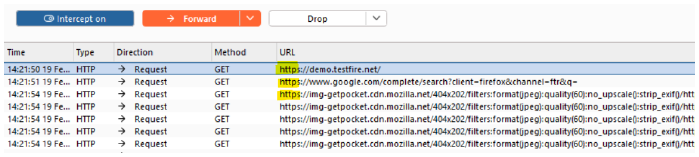
- url is visible here.
-
Download the latest version of java 19.0.1 and open the burpsuite keygen , given in folder(after extracting).
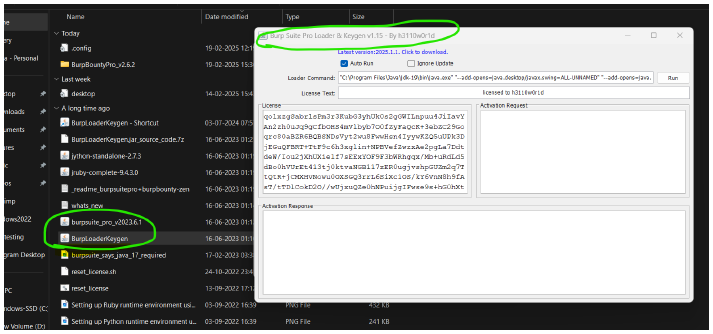
-
A page will appear for license key then enter the license key you copied.
-
enter the
license key->manual activation->
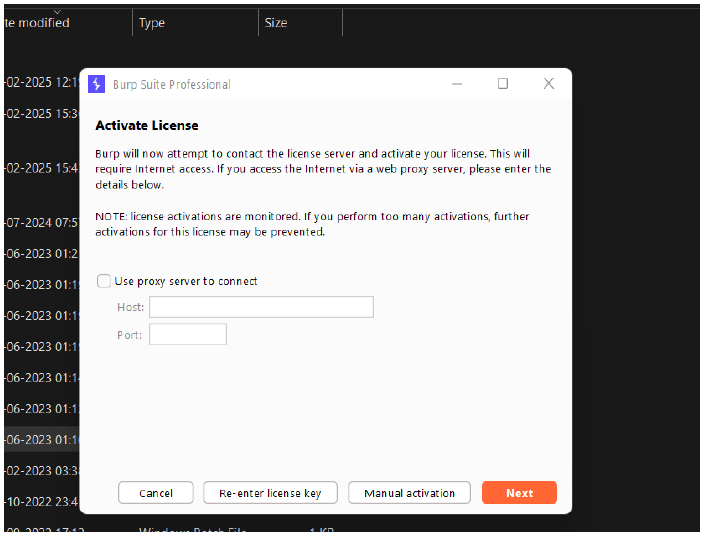
- copy the 2nd paragraph and paste it below.
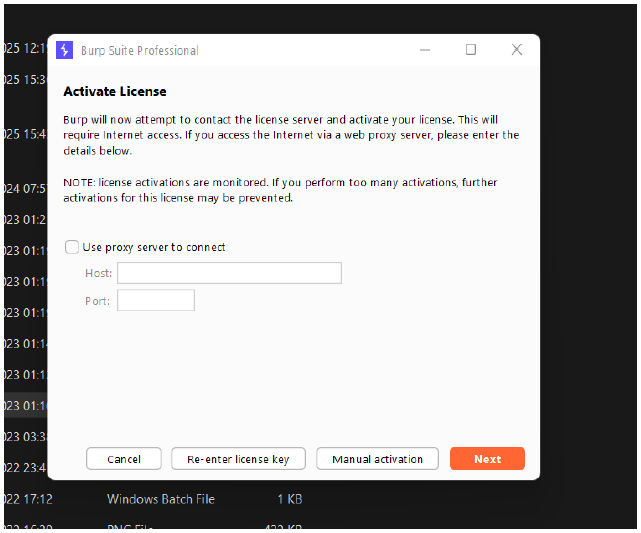
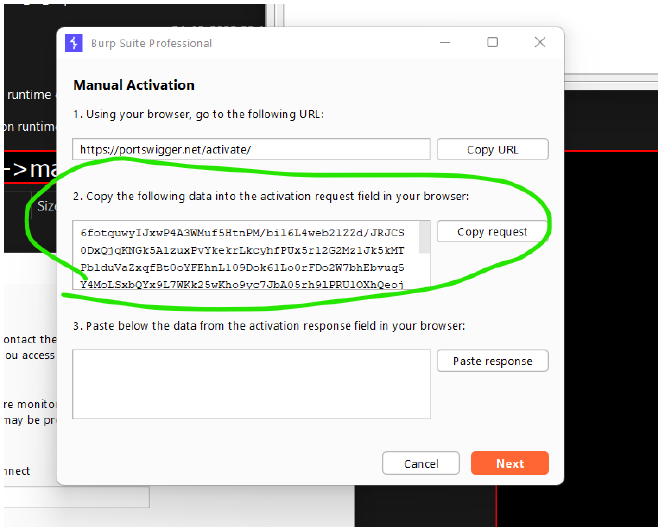
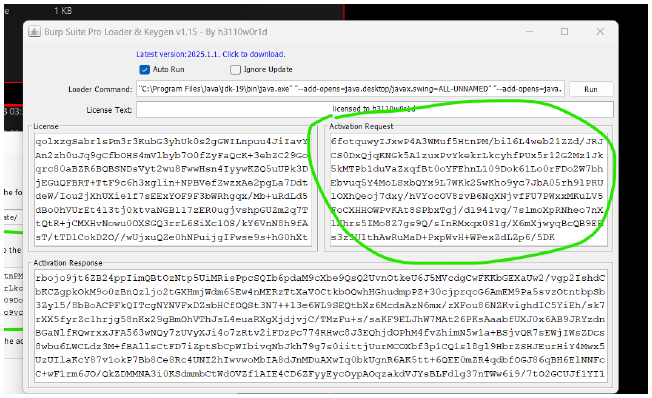
- copy the ACTIVATION Response and paste here and then install burp.
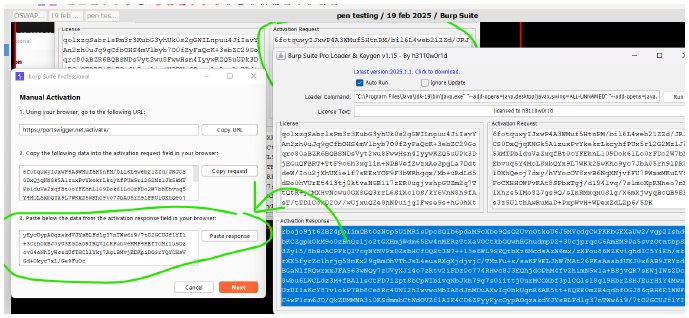
- Always open the burp by using keygen.
FoxyProxy is a browser extension used to manage proxy settings more efficiently than the default settings in browsers like Chrome or Firefox. Here's why you'd need FoxyProxy:
🌍 1. Bypass Geo-Restrictions or Censorship
- FoxyProxy can route your browser traffic through proxies in other regions.
- This helps access websites that are blocked in your country or restricted by IP (like some YouTube videos, academic journals, etc.).
💻 2. Web Scraping / Testing
- Developers use FoxyProxy to simulate how their sites look from different IP addresses or locations.
- Helpful when testing APIs or websites that behave differently based on location.
🎯 3. Per-URL Proxy Rules
- You can configure FoxyProxy to send only certain URLs or domains through a specific proxy.
- For example, route
*.worksite.comthrough your company’s proxy but keep other traffic direct.
🔐 4. Enhanced Privacy
- FoxyProxy, when used with anonymous proxies, can help mask your IP and activity from ISPs or websites.
🔍 FoxyProxy vs VPN: What’s the Difference?
| Feature | FoxyProxy | VPN |
|---|---|---|
| What is it? | A proxy manager browser extension | A full system-level network tool |
| Scope | Affects only your browser traffic (Chrome/Firefox) | Affects all device traffic (browser, apps, system, etc.) |
| Encryption | Usually no encryption (unless using HTTPS proxy) | Fully encrypted tunnel |
| Privacy Level | Medium – hides IP in browser | High – hides IP & encrypts everything |
| Setup | Easy (just install extension and configure) | Slightly more involved (need to install and connect VPN client) |
| Speed | Generally faster, but no encryption = less secure | Slightly slower due to encryption, but more secure |
| Use Case | Bypass geo-blocks in browser, test websites, switch proxies | Secure browsing, stream geo-restricted content, hide all traffic |
✅ Common Use Cases:
- Students bypassing college firewall restrictions
- Employees accessing internal corporate tools
- Developers testing from different geographic locations
- Users maintaining anonymity while browsing