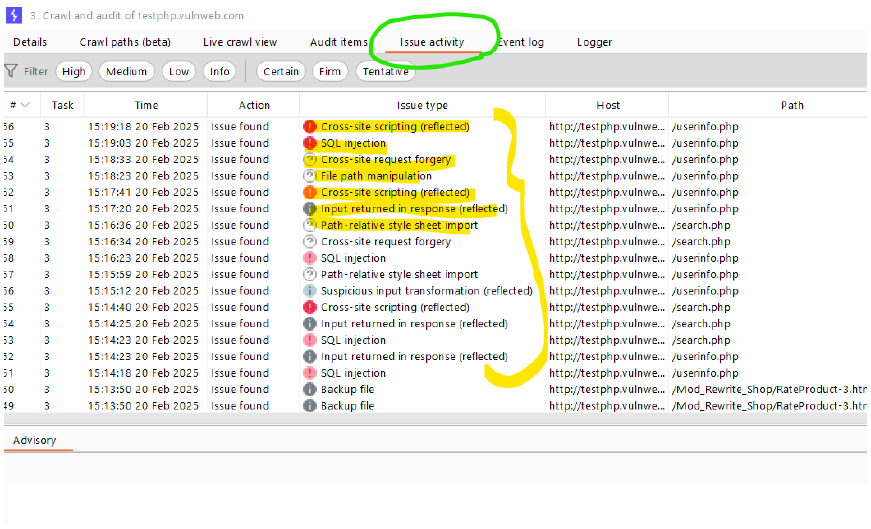
Date: 20 Feb 2025
Question
-
new scan->scan configuration->lightweight
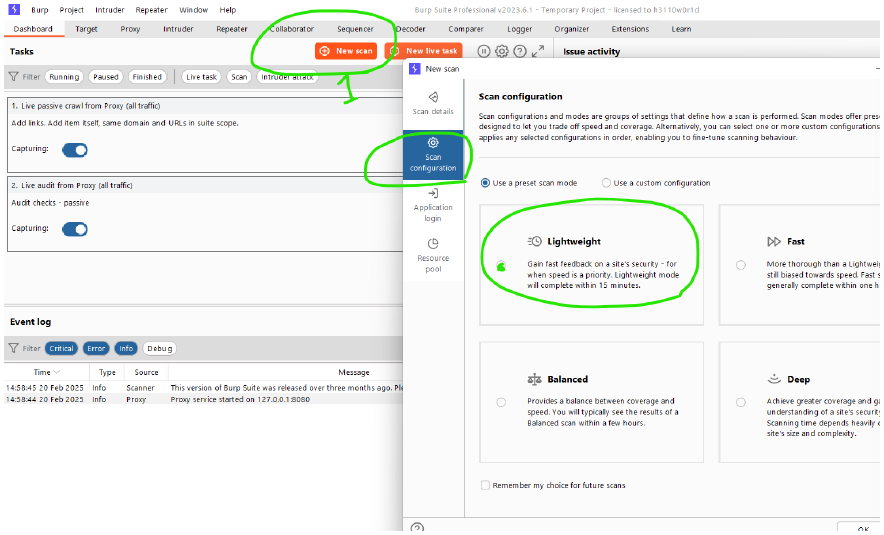
-
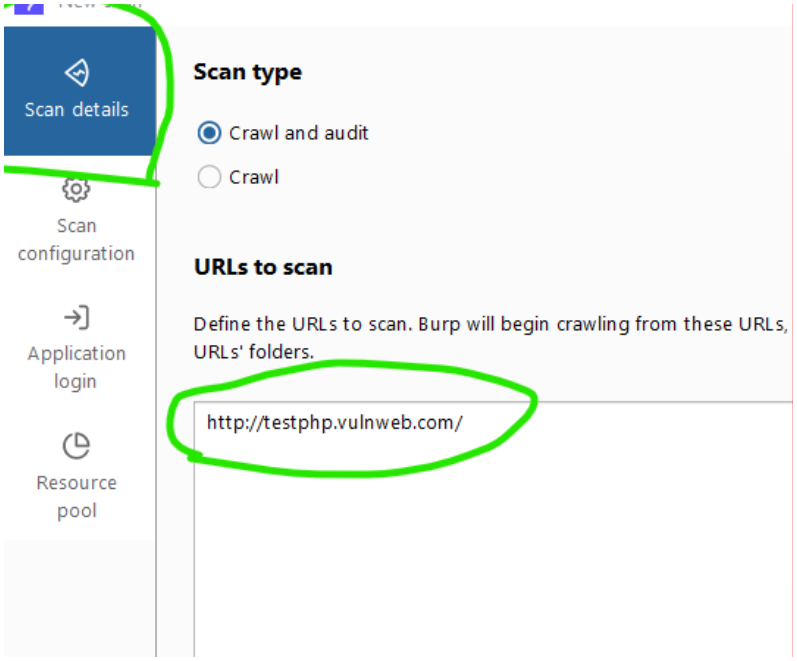
then go to the
scandetails and paste the url.
-
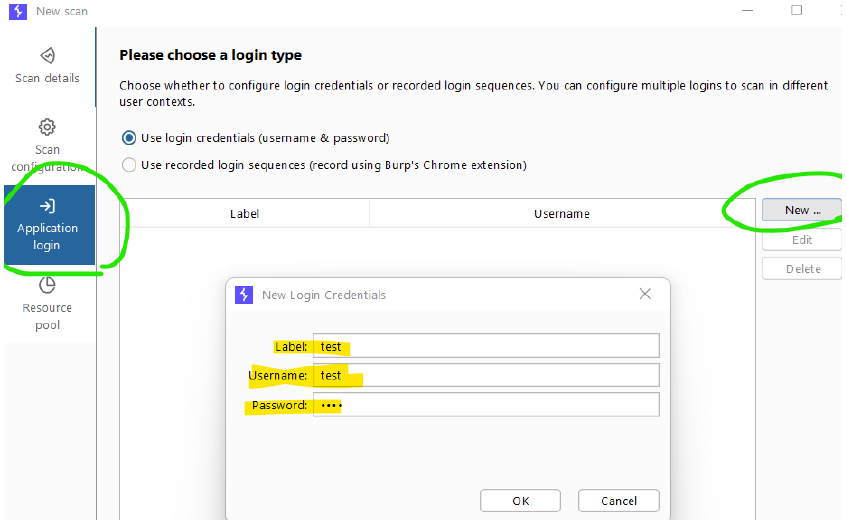
then go to the
application login-> click onnew-> give the following details highlighted the password is test
-
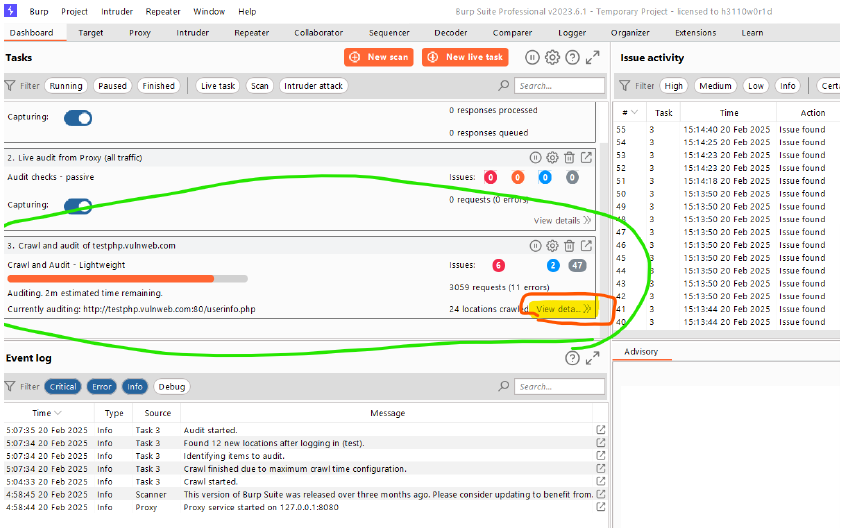
you can see the vulnerability scanning in the
crawl and audit section.and then clickview details(after completion of total scanning)
-
go to
issue activity,then you can see the rest all type of vulnerabilities like cross-site scripting, sql injection, cross site forgery..