- Cryptographic failures which generally occur due to weak cryptography, is one of the OWASP Top 10 vuln.
- Testing for this includes audit of the data at rest in database as well as data in transit between client and server.
-
Summary Table
| Technique | Mostly Used For | Purpose |
|---|---|---|
| Encryption | Data in transit AND at rest | Protect data from being read |
| Hashing | Data at rest (like passwords) | Verify data, not reverse it |
-
There are many possible attacks and scenarios that can be possible because of weak cryptography
- man in the middle attack
- weak cryptography
- steal keys
- clear text data
- weak algorithm
-
Old & Insecure – Disable These Immediately:
| Protocol | Status | Why Disable? |
|---|---|---|
| SSLv2 | Very outdated | Broken encryption, vulnerable to many attacks |
| SSLv3 | Outdated | Vulnerable to POODLE attack |
| TLS 1.0 | Weak | Uses outdated ciphers, not PCI compliant |
| TLS 1.1 | Weak | Not secure by today’s standards |
⚠️ These versions are deprecated and should be disabled on all servers, applications, and services
-
Secure & Recommended – Enable Only These:
| Protocol | Status | Why Use? |
|---|---|---|
| TLS 1.2 | Strong | Secure and widely supported |
| TLS 1.3 | Latest & Best | Faster, more secure, removes weak parts |
TLS 1.2 is still widely used and secure.
TLS 1.3 is the most secure and modern version — preferred whenever possible.
PII - Personal Identifiable Information
- sensitive information included data such as health records , credentials, personal data , credit cards ,email addr, OTP , aadhar card ,social security number etc.
Am I Vulnerable to Data Exposure?
The first thing you have to determine is which data issensitive enough to require extra protection. For example,passwords, credit card numbers, health records, and personalinformation should be protected. For all such data:
- Is any of this data stored in clear text long term, includingbackups of this data?
- Is any of this data transmitted in clear text, internally orexternally? Internet traffic is especially dangerous.
- Are any old / weak cryptographic algorithms used?
- Are weak crypto keys generated, or is proper keymanagement or rotation missing?
- Are any browser security directives or headers missing when sensitive data is provided by / sent to the browser? And more … For a more complete set of problems to avoid,see ASVS areas Crypto (V7), Data Prot. (V9), and SSL (V10)
Installing Jython
-
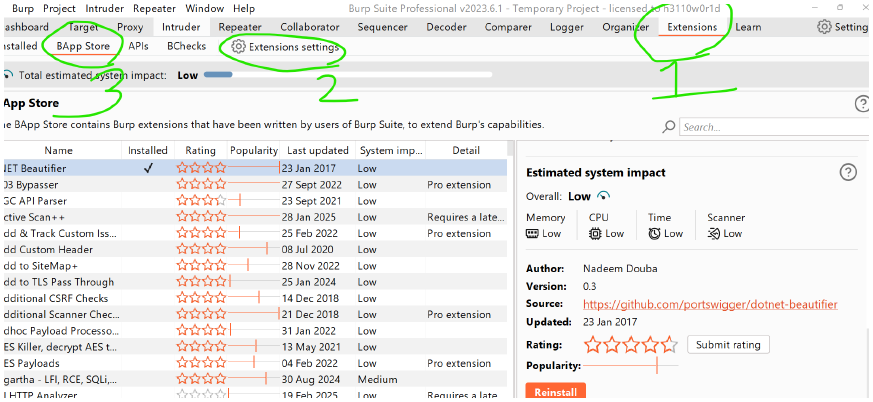
Extensions → Extension Settings
-
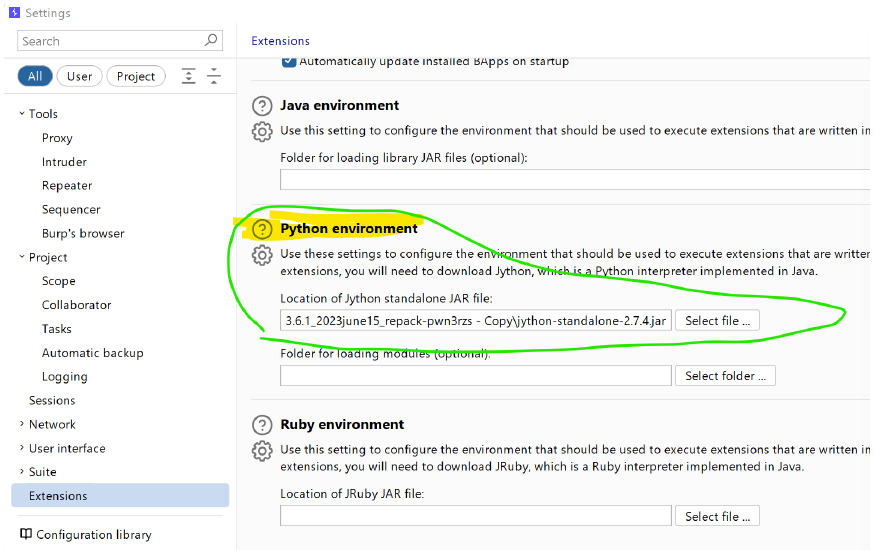
Python env → upload the jython jar file
-
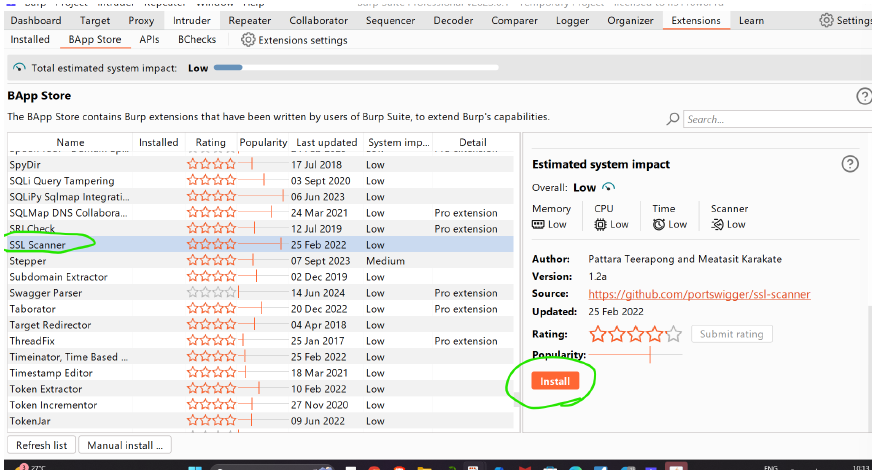
burp store → SSL scanner → Install
-
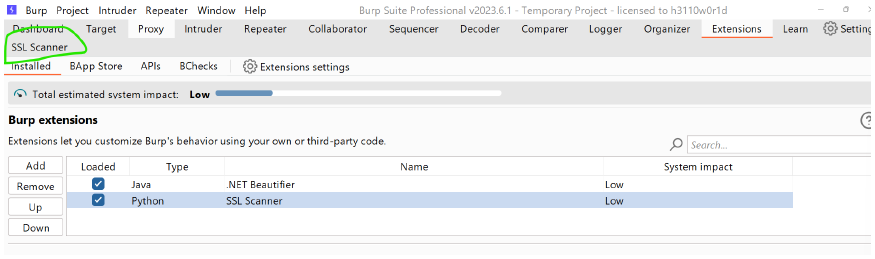
we can load or onload the extensions inside Extension → Extension tab
-
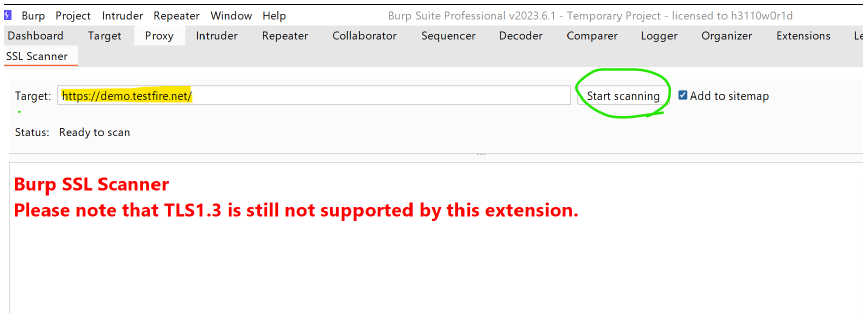
click on SSL Scanner
-
then give the website : https://demo.testfire.net/ for general testing
-
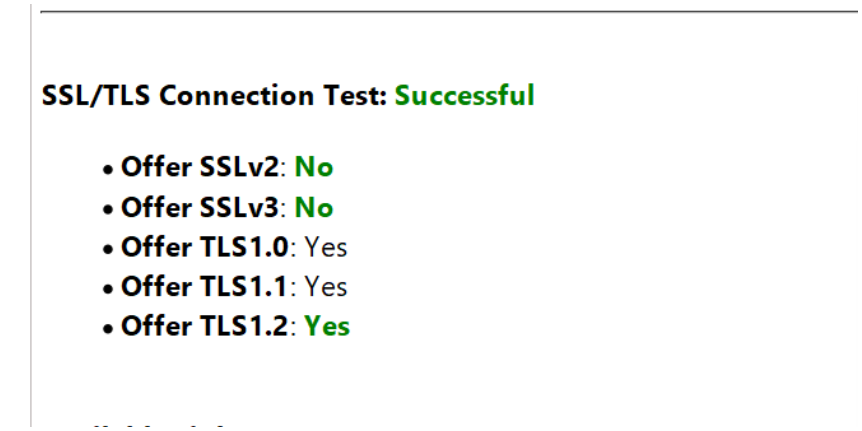
results are as follows:
-
from this we realise weak protocols are used like SSL v2, SLLv3...
-
here weak cipher are TLSV1.0
Supported ciphers (by Protocol)
TLSv1.0
-
ECDHE-RSA-AES256-SHA: LUCKY13
-
DHE-RSA-AES256-SHA: LUCKY13
-
ECDHE-RSA-AES128-SHA: LUCKY13
-
DHE-RSA-AES128-SHA: LUCKY13
TLSv1.1 -
ECDHE-RSA-AES256-SHA: LUCKY13
-
DHE-RSA-AES256-SHA: LUCKY13
-
ECDHE-RSA-AES128-SHA: LUCKY13
-
DHE-RSA-AES128-SHA: LUCKY13
-
website to check the ciphere whether good or bad : https://ciphersuite.info/
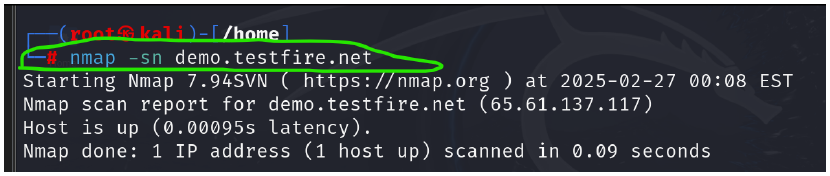
Using nmap how can we find out some ciphers :
-
sudo su
| → to enter into root directory
nmap -sn demo.testfire.net
-
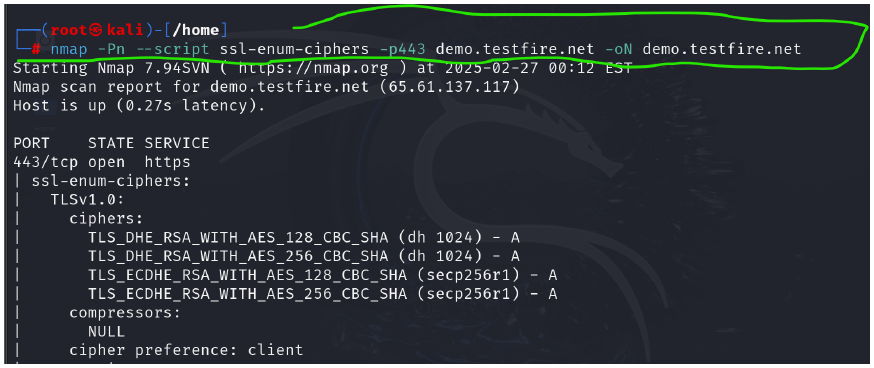
nmap -Pn --script ssl-enum-ciphers -p443 demo.testfire.net
-oN demo.testfire.net
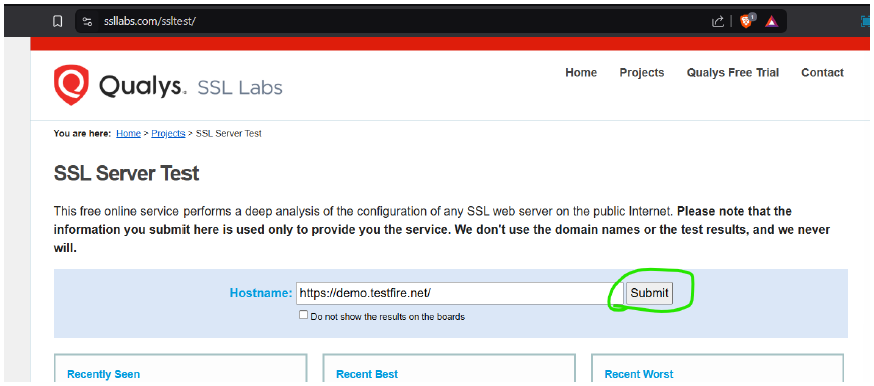
- qualys.ssl labs : https://www.ssllabs.com/ssltest/
-
first visit the Qualys lab and use: https://demo.testfire.net/
-
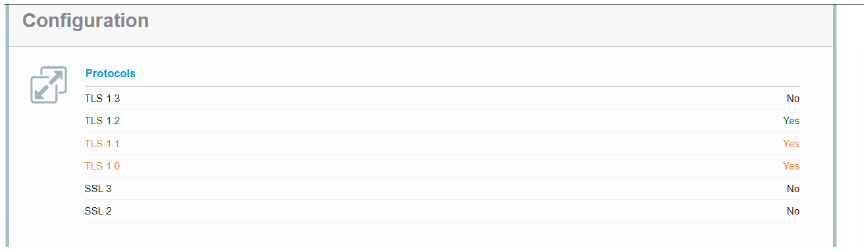
you can see the result, that the website uses weak protocol suites like TLS v1.0.1...
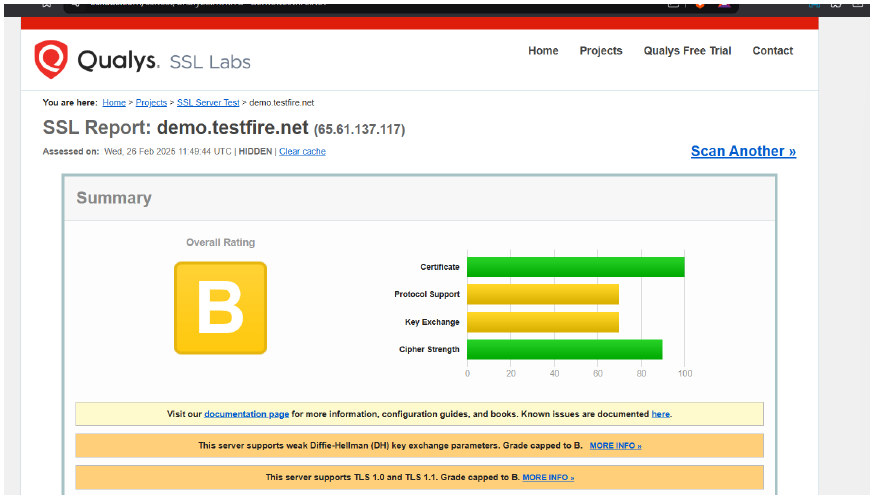
From the overall testing for weak cryptography on https://demo.testfire.net/ using different tools we found different cryptographic issues on the target.