Date : 28 Apr, 2025
Hostapd
- A tool that will help us creating and launching and access point.
- To do that we need a file called hostapd.conf
- For this we will require access point mode or AP mode enabled on our adapter which we will check by
iw list
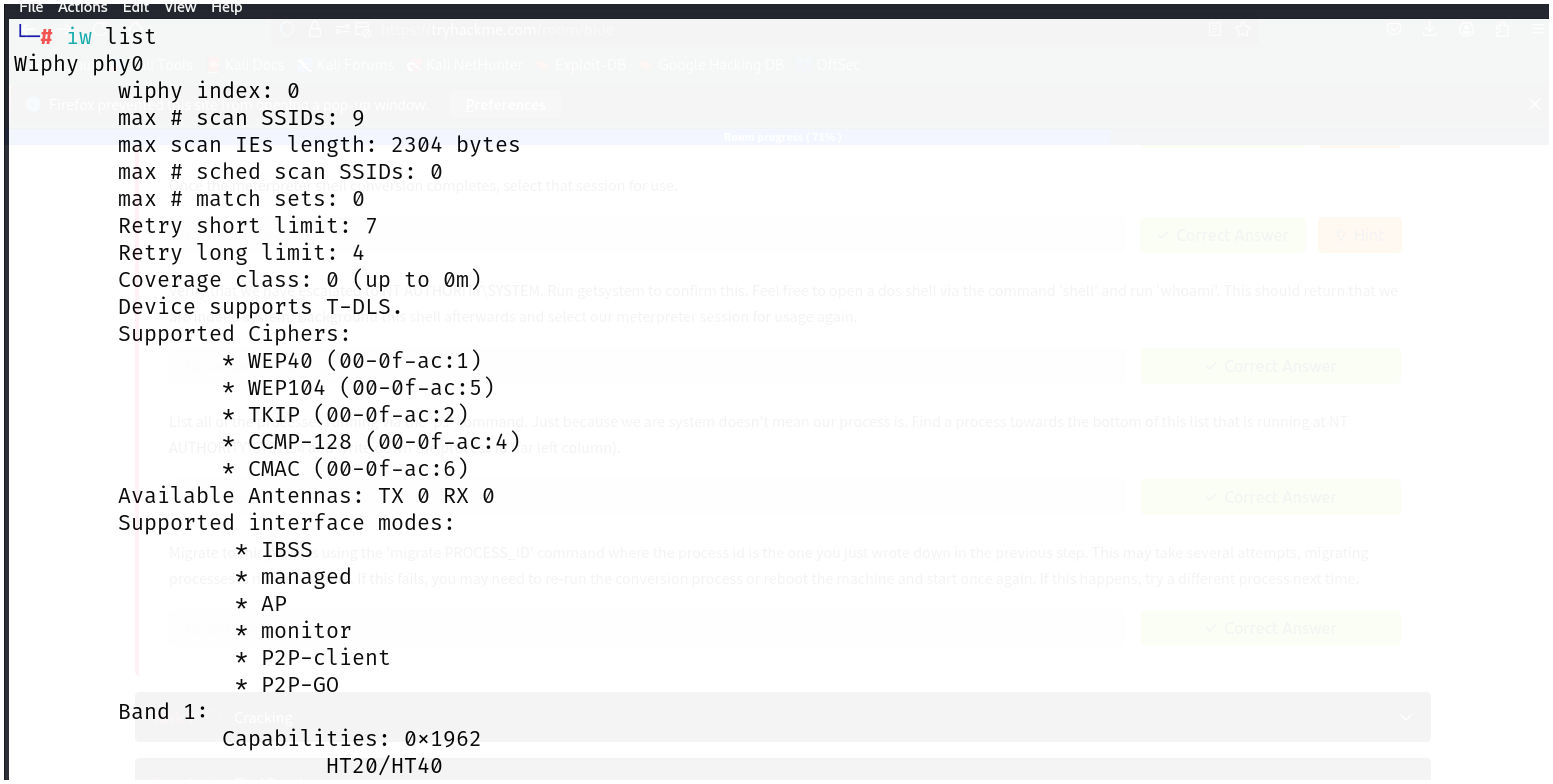
- From the above screenshot we can see the AP mode is enabled which means we can broadcast via our adapter.
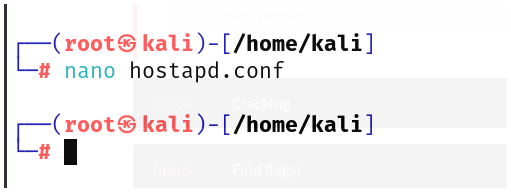
- Here is the hostapd.conf file, containing all details.
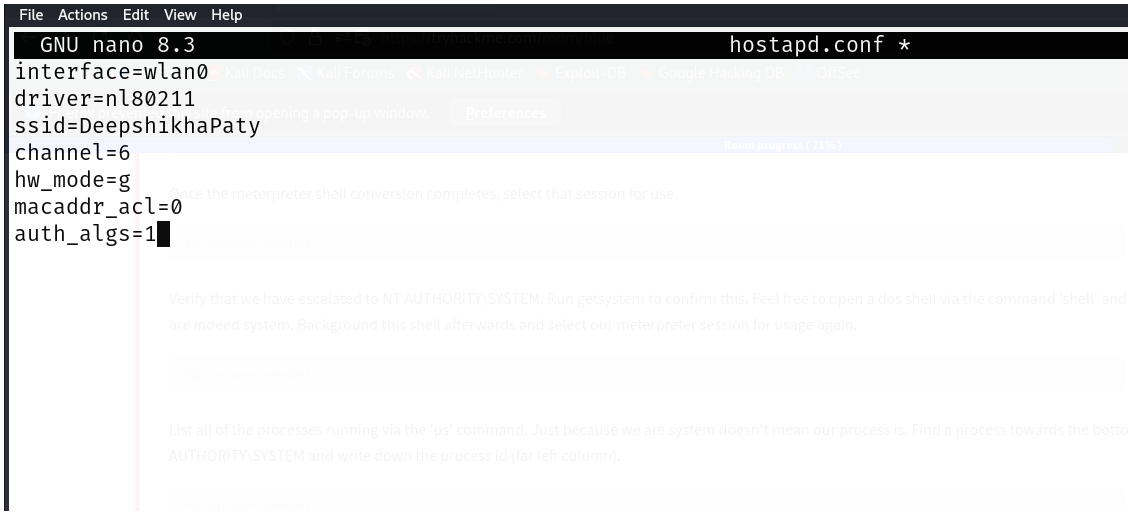
Explaination of the hostapd.conf file :
- interface : specifies which interface we are broadcasting on. (wlan0)
- driver : this specifies the wifi standard we are going to use (nl80211)
- ssid : name of the wifi
- channel : the channel on which our wifi will be broadcasted
- hw_mode : the frequency range of our adapter (g = 2.4GHz)
- macaddr_acl : (acl = Access control list)
- 0 : Allow all (any mac addr can join the network)
- 1 : Use only white list (Only allow mac addresses in the list)
- 2 : Use only black list (Do not allow mac addresses in the list)
- auth_algs : (Authentication algorithms)
- 1 : Open network (wifi without password)
- 2 : Secure network
- 3 : Mix of both
- Launched the
hostapd.confusing hostapd tool
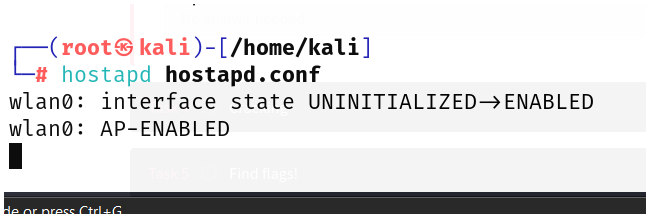
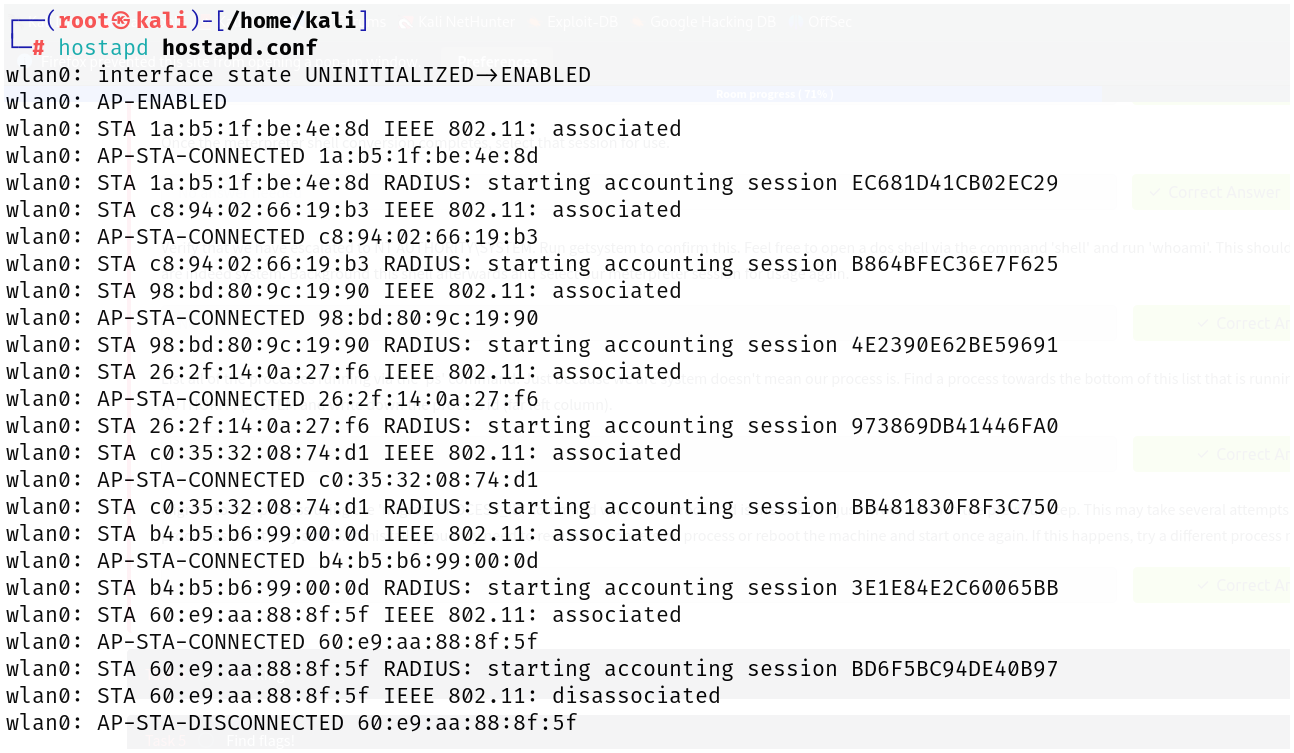
- From the above screenshot we can see different mac addresses our trying to access our AP
- This is the AP we created, we can change this AP into a rogueAP(malicious intent in AP) going further.
Info
Tools:
- Hostapd
- airbase-ng (another tool under aircrack-ng suite -> alternative for hostapd)
- dnsmasq (that will help us in creating DHCP configuration for our access point)
dnsmasq :
nano dnsmasq.conf
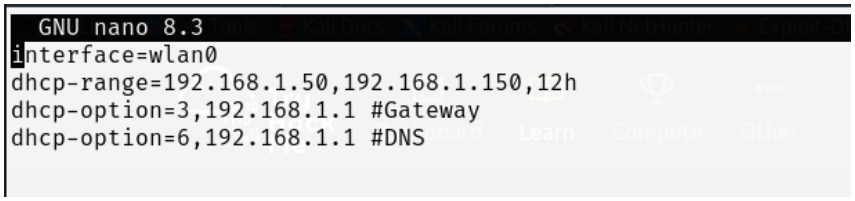
Explaination :
- dhcp-range : this range can join out network
- dhcp-option
- 3 : configure gateway
- 6 : configure DNS (we can also keep 8.8.8.8 -> google)
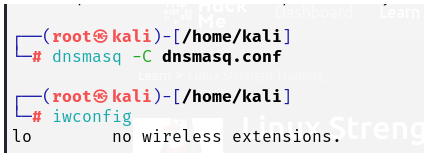
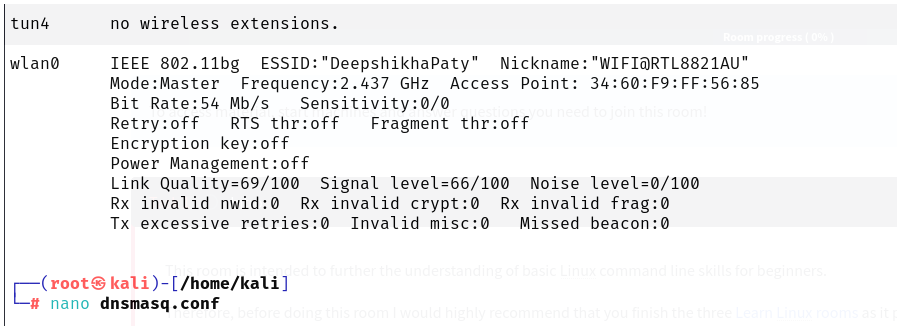
- Mode : Master (which means complete potential of the adapter is being used)
Note
- When we launch
hostapd.confalong withdnsmasq.conf, hostapd launches the access point while dnsmasq will provide DHCP service. - With this all the mac addresses or all the devices that are connected to the network or AP can get a dynamic ip.