Date: 19 Feb 2025
Task :
- Authenticated scanning using OWASP ZAP
- Know more about OWASP
- TARGET SITE - vulnerable site to test OWASP zap
- username : test || password : test
Owasp-Zap
🔐 What is OWASP ZAP?
OWASP ZAP (Zed Attack Proxy) is an open-source security tool designed for finding vulnerabilities in web applications. It is maintained by the Open Web Application Security Project (OWASP) and is widely used by penetration testers and security professionals for dynamic application security testing (DAST).
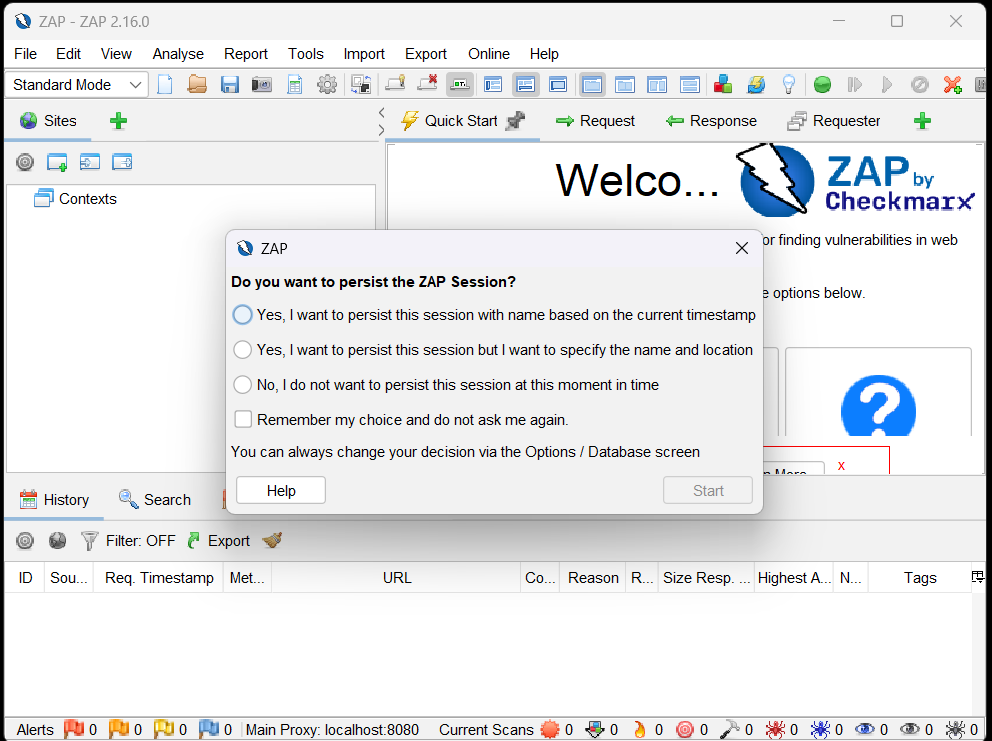
- Select - yes, I want to persist this session
Scanning website using Owasp-Zap
- Start ZAP and click the Quick Start tab in the workspace window.
- Click the Auto Scan button.
- In the Attack URL text box, enter the full URL of the web application.
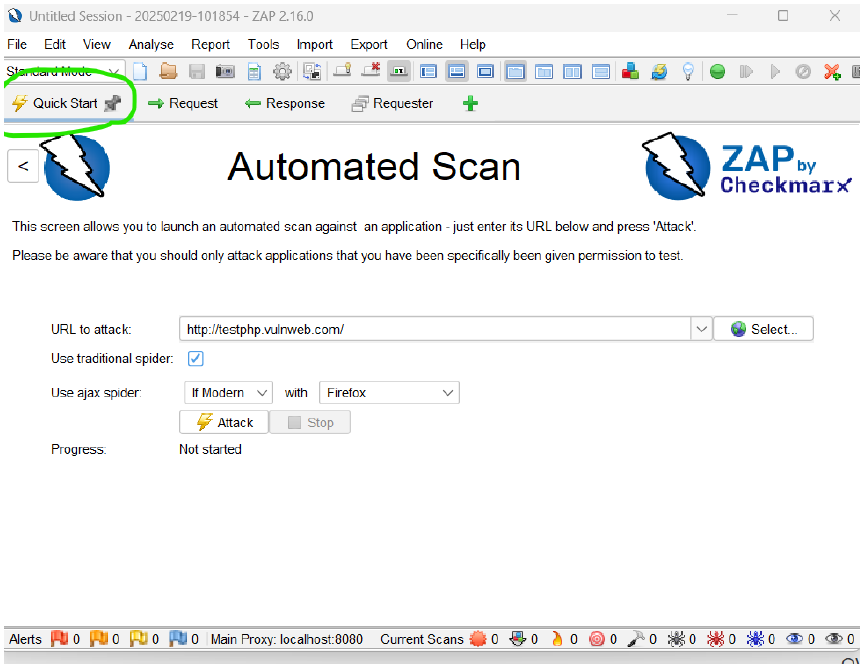
- Select either Use traditional spider, Use ajax spider, or both (more details below)
Understanding "Use Traditional Spider" in OWASP ZAP
What is the Traditional Spider?
The Traditional Spider is a web crawler in OWASP ZAP that systematically follows links from a given starting URL to discover all pages and resources of a web application.
How Does It Work?
- It starts with the URL to attack.
- It analyzes the HTML content of the page.
- It extracts all links (e.g.,
<a href="...">,<form action="...">,<iframe src="...">). - It follows each discovered link recursively until all pages are mapped.
Why is It Important?
- It helps identify all accessible pages on a site.
- It builds a site map, which is useful for vulnerability scanning.
- It finds hidden endpoints that may contain security flaws.
Imagine scanning http://example.com with Traditional Spider.
- Page 1:
http://example.com/home - Page 2 (linked from home):
http://example.com/about - Page 3 (linked from about):
http://example.com/contact
Use AJAX Spider
-
Functionality: Crawls web applications using JavaScript to simulate user interactions and uncover hidden endpoints.
-
Decision: Choose the right setting based on the type of application:
- If Modern (Dynamic JavaScript-based sites): ✅ Use AJAX Spider with a browser (Chrome, Firefox).
- If Traditional (Static HTML/CSS pages): ❌ You may skip it.
-
Why?
- Needed for modern SPAs (Single Page Applications) using React, Angular, or Vue.js.
- Essential for discovering endpoints loaded dynamically via JavaScript.
- Click Attack.
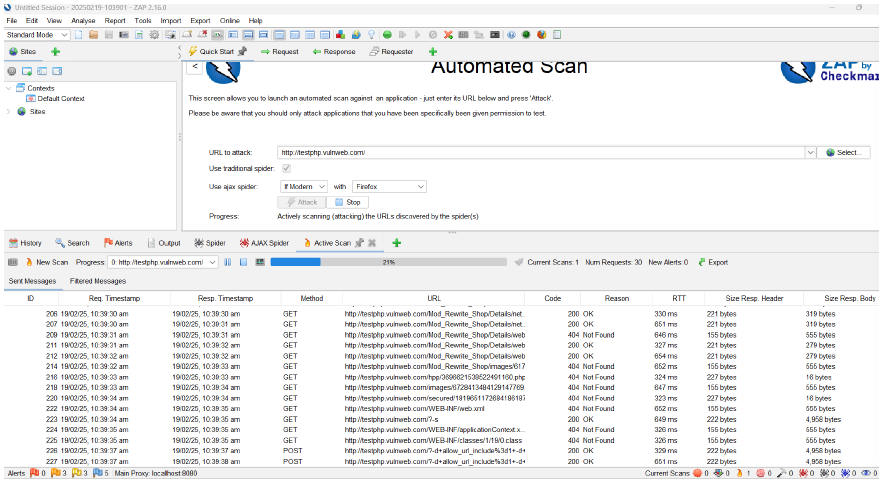
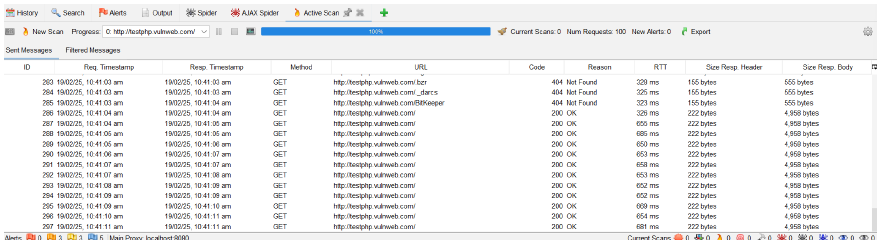
Final Scan:
Generating report
Click Report --> generate report --> template
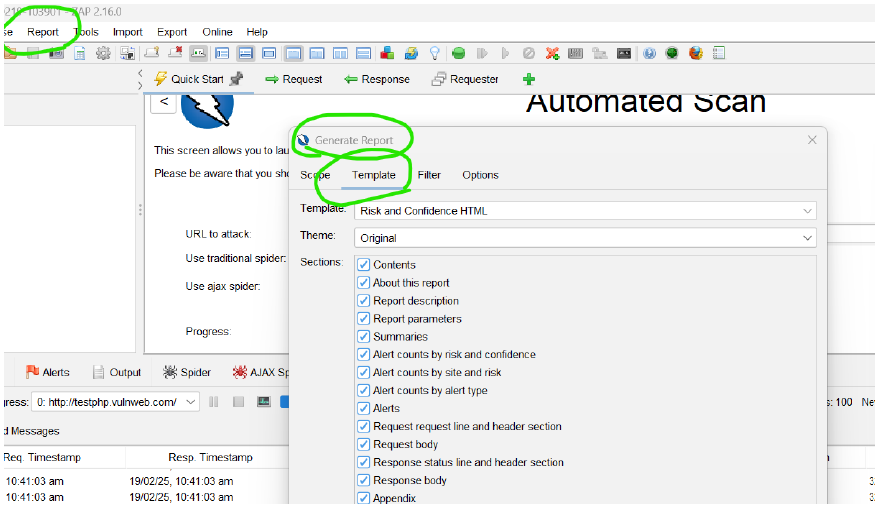
Here, we can generate reports using various templates:
-
theme :
traditional html with request and response
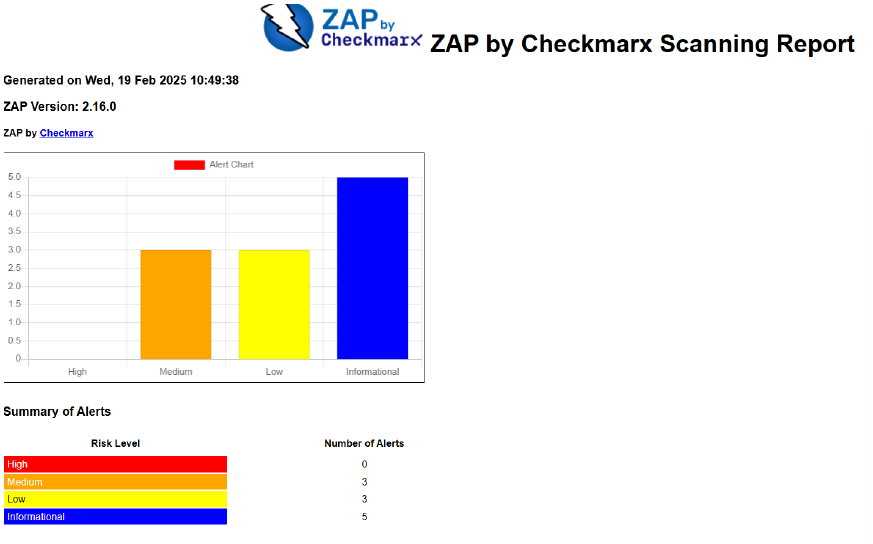
-
theme :
risk and confidence html
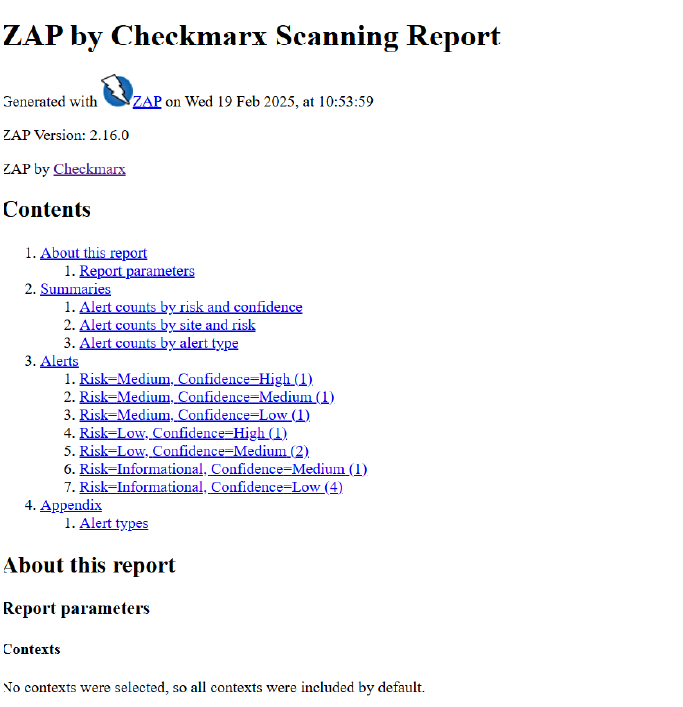
-
theme :
modern html report with themes and options
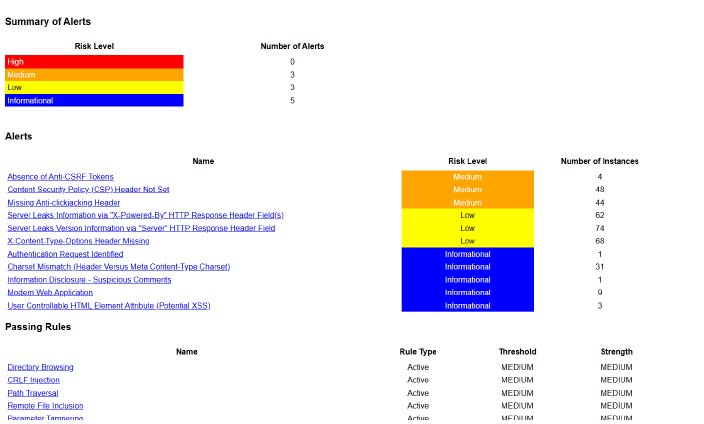
End to end walk through is required i.e IN and OUT-flow of the project. Being a grey hat hacker in the company, without knowing the walkthrough, we should not work.
-
Port 404
- 404 is not a port number—it is an HTTP status code that means "Not Found."
- If ZAP shows 404 errors, it means the requested page does not exist.
-
Port 200
- 200 is also an HTTP status code, meaning "OK" (successful request).
- If ZAP scans a page and gets a 200 status code, it means the page is accessible.
🛠 How to Handle 404 and 200 in OWASP ZAP
-
If you see 404 errors during scanning:
- The target website might have removed or restricted access to certain pages.
- Try manual exploration before scanning to ensure the pages exist.
- Check if the target website uses dynamic URLs that require authentication.
-
If you get 200 status codes:
- It means ZAP successfully reached the page and will continue scanning.
- You can review response headers for security weaknesses.
Q) Why do you need authenticated scanning?
- the tool need credential to do authentication
- it can spider/crawl in depth (the tool can go to in-depth while scanning)
- in can find out more and more vulnerabilities compared to unauthenticated scan
- black box - can't show the internal vulnerabilities but with credentials it can go in depth scanning.
Black Box, White Box, and Gray Box Testing
black box - does not require credentials
gray box - requires credentials
Comparison Table
| Aspect | Black Box | White Box | Gray Box |
|---|---|---|---|
| Tester Knowledge | No internal knowledge | Full internal knowledge | Partial knowledge |
| Used for | Functionality, security | Code security, unit testing | API security, privilege escalation |
| Perspective | External attacker | Developer or security analyst | Insider or semi-privileged user |
| Examples | Penetration testing, automated security scanning | Static code analysis, secure code review | API security testing, session management testing |
| Efficiency | Can miss internal logic flaws | Time-consuming but thorough | Balanced approach |