AD DS Schema
- The AD DS Schema defines the rules and structure of data stored in Active Directory.
- It tells AD what kind of objects (like users, computers, groups) can exist and what attributes they have.
Example:
- Object class:
User - Attributes:
Name,Email,Phone Number,Password, etc.
Key Points:
- It’s like a blueprint or template for all data in Active Directory.
- It is uniform across the entire forest.
- Schema can be extended (e.g., adding new attributes), but must be done carefully.
Domains
- A Domain is a representation or in simple words, a name under which all the works go on.
- It represents a collection of objects, such as users, computers, and resources managed under a common set of rules and a shared database.(that share the same AD database)
- Used to group objects together and manage them.
- The domain provides an Authentication and Authorization boundary that provides a way to limit the scope of access to the resources of that domain.
Example:
- A company called
example.commight have a domain calledcorp.example.com.
Key Points:
- Each domain has its own security policies and trust boundaries.
- All objects in a domain are stored in a single database and are managed by domain controllers.
- Domains can be grouped into trees and forests for larger organizations.
Trees
- A Tree is a collection of one or more domains that share a common namespace and are connected in a hierarchical (parent-child) relationship.
- Trees can additionally have child domains.
- By default, Trees create Transitive trust with other domains.
Key Features:
- Domains in a tree are linked by trust relationships (automatically created).
- Trees can be viewed as trust relationships where a secure connection, or trust, is shared between two domains.
- The child domain name extends the parent domain name.
Example:
Root Domain: example.com Child Domain: hr.example.com
Another Child: sales.example.com
These all form a single tree because they share the example.com namespace.
Forests
- A Forest is the top-level container in Active Directory.
- It consists of one or more trees that:
- Do not need to share the same namespace
- But are linked by trust relationships
- And share a common schema and global catalog
Key Features:
- First domain created is called the Forest Root Domain
- All trees in a forest share the same AD schema and configuration.
- Forest provides security boundaries — domains in one forest do not trust another forest unless explicitly configured.
Example:
Tree 1: example.com → hr.example.com
Tree 2: tech.org → dev.tech.org
Together, these trees form **one forest**.
Organizational Units
- An OU is a container within a domain in Active Directory.
- It is used to organize users, groups, computers, and other OUs into a logical structure.
- Think of OUs like folders inside a domain that help group similar objects together.
- Each domain can contains its own OU.
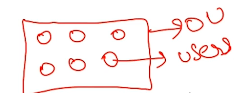
- It is made to apply group policies(such as, some restrictions on certain resources).
Key Features of OUs:
- Logical grouping of resources (e.g., by department, location, function).
- You can apply Group Policies to specific OUs.
- You can delegate administrative control — assign someone permission to manage just that OU (not the whole domain).
- OUs are only visible within the domain they belong to (they are not shared across domains).
Examples of OUs:
In a domain like company.com, you might have:
company.com ├── OU: HR │ ├── Users: Alice, Bob
│ └── Computers: HR-PC1 ├── OU: IT
│ ├── Users: Charlie, David │ └── Computers: IT-PC1, IT-PC2
├── OU: Finance
Why Use OUs?
- To organize Active Directory objects better.
- To apply specific policies (e.g., password rules or software restrictions).
- To delegate control without giving full domain access.
Note
OUs are not security principals, which means:
- You cannot assign permissions directly to an OU.
- You assign permissions to users or groups, not to the OU itself.
Trusts
- A Trust is a relationship between two domains or forests that allows users in one domain to access resources in another.
Why Are Trusts Needed?
- To share resources across domains or forests.
- To centralize access in large or multi-organization networks.
- To maintain separate administration but still allow collaboration.
Note
- Trust does not give automatic access — permissions must still be granted.
- Trusts allow authentication, but authorization is handled by access control.
Summary Table:
| Trust Type | Scope | Direction | Transitive? |
|---|---|---|---|
| Parent-Child | Same forest | Two-way | Yes |
| Tree-Root | Same forest | Two-way | Yes |
| External | Different forests/domains | One- or two-way | No |
| Forest | Between forests | One- or two-way | Yes |
| Shortcut | Within a forest | One- or two-way | Yes |
| Realm | AD ↔ Non-Windows | One- or two-way | Yes/No (configurable) |