Date : 16 Apr, 2025
Kismet
- Kismet is an open-source, wireless network detector, sniffer, and intrusion detection system (IDS) that is primarily used to monitor, detect, and analyze wireless networks, especially in the 802.11 (Wi-Fi) range.
- It’s widely used for Wi-Fi security auditing, network diagnostics, and penetration testing in both enterprise and personal networks.
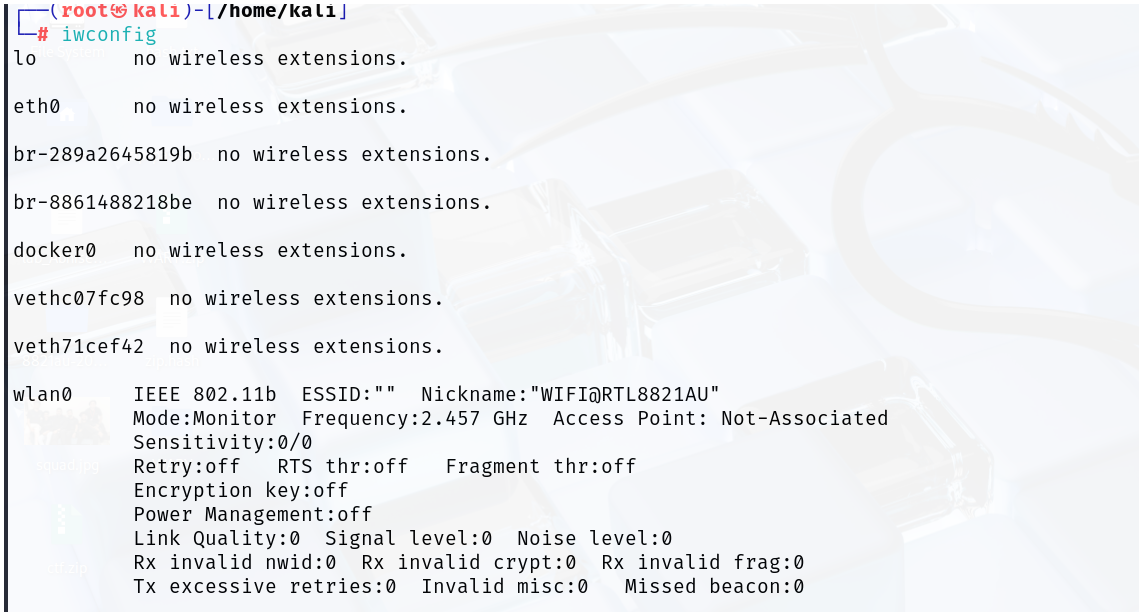
- Inside the
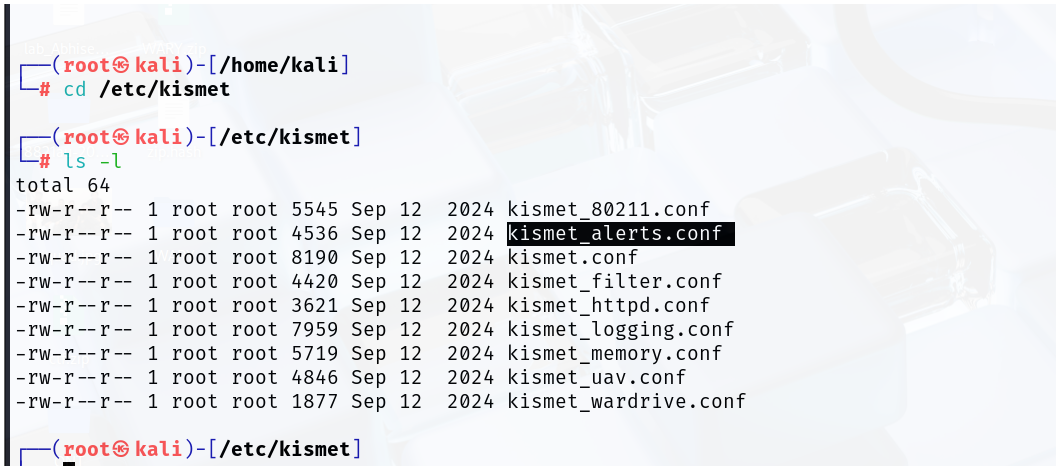
/etc/kismet/directory, you'll find various Kismet configuration files, which control the behavior and setup of Kismet
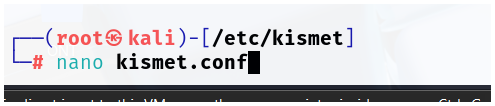
/etc/kismet/kismet.conf
- Primary configuration file.
- Controls global Kismet behavior.
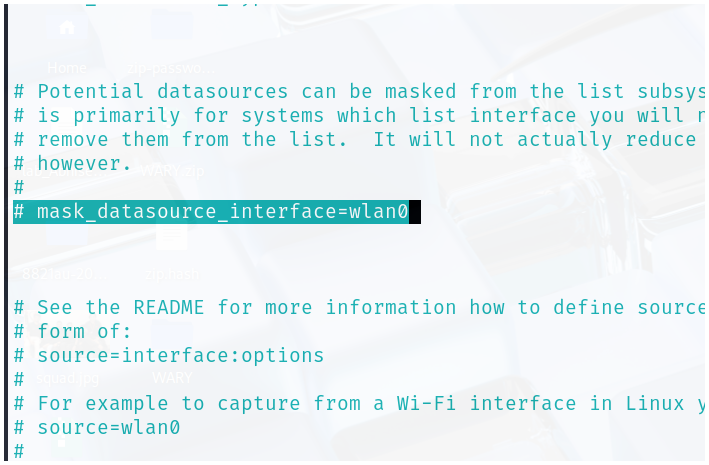
mask_datasource_interface=wlan0
✅ Reason for enabling:
This setting masks (hides) the real interface name (like wlan0) in logs, file names, and the web UI.
❓ Why this might be useful:
- For privacy/security reasons — especially if you're sharing logs publicly or in research.
- Avoids revealing personal hardware details in logs or reports.
Note
“When logging or showing data, don’t display the name
wlan0— replace it with a generic name likewifi0.”
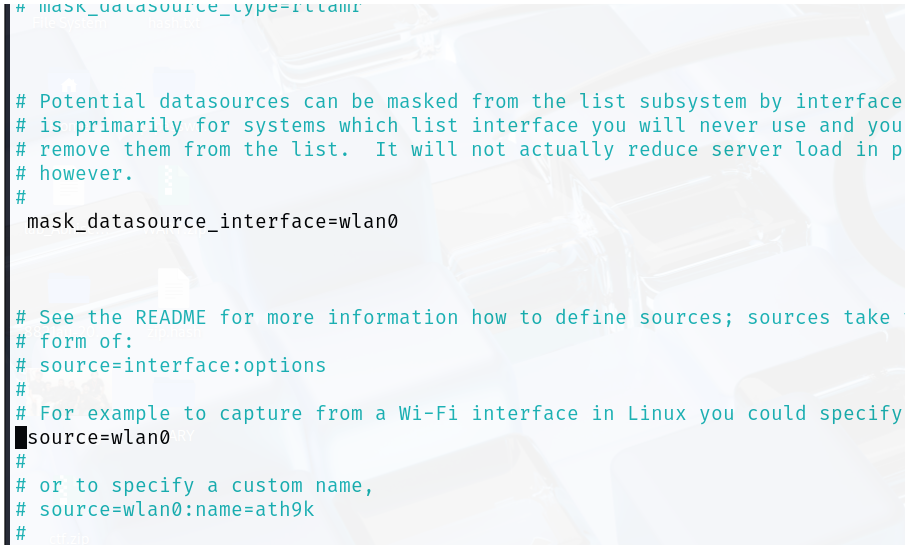
source=wlan0
✅ Reason for enabling:
This line defines the wireless interface that Kismet should use to capture packets.
❓ Why this is needed:
- Kismet doesn't automatically choose an interface.
- You have to explicitly tell it which interface (like
wlan0) to use. - Without this line, Kismet wouldn't know what to listen on — and you’d likely get an error or no data.
Note
“Use the
wlan0interface to sniff wireless traffic.”
What Data Does Kismet Collect About Wi-Fi?
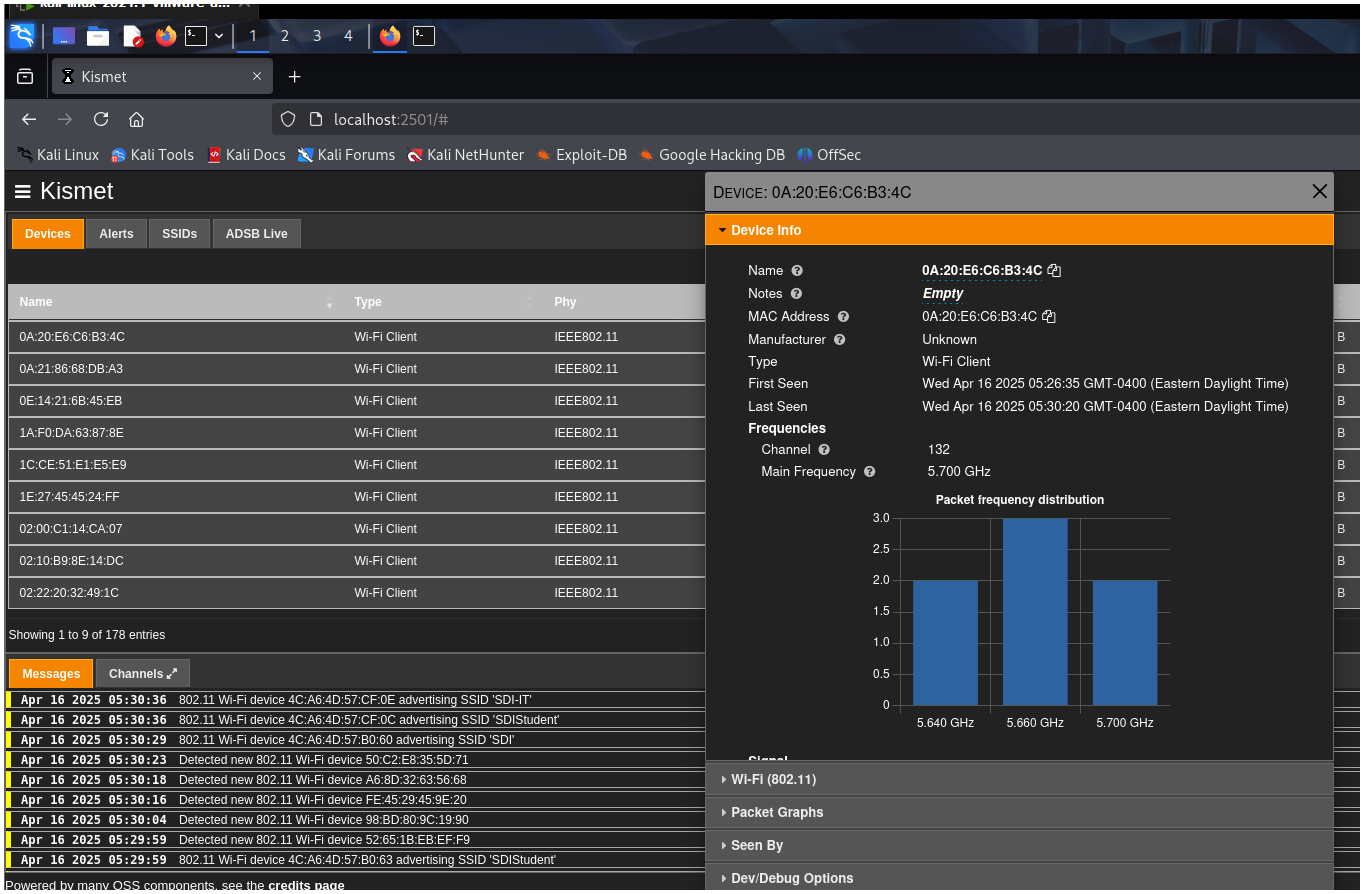
1. SSID (Network Name)
- The name of the wireless network.
- Can detect hidden SSIDs if devices are trying to connect.
2. BSSID (Access Point MAC Address)
- The unique identifier (MAC address) of each AP.
- Used to distinguish between multiple APs with the same SSID.
3. Channel Information
- The channel or frequency the network is operating on (e.g., Channel 1, 6, 11).
- Can show channel hopping or frequency shifting patterns.
4. Encryption & Authentication
- Shows what kind of security the network uses:
- Open
- WEP
- WPA/WPA2/WPA3 (PSK, Enterprise)
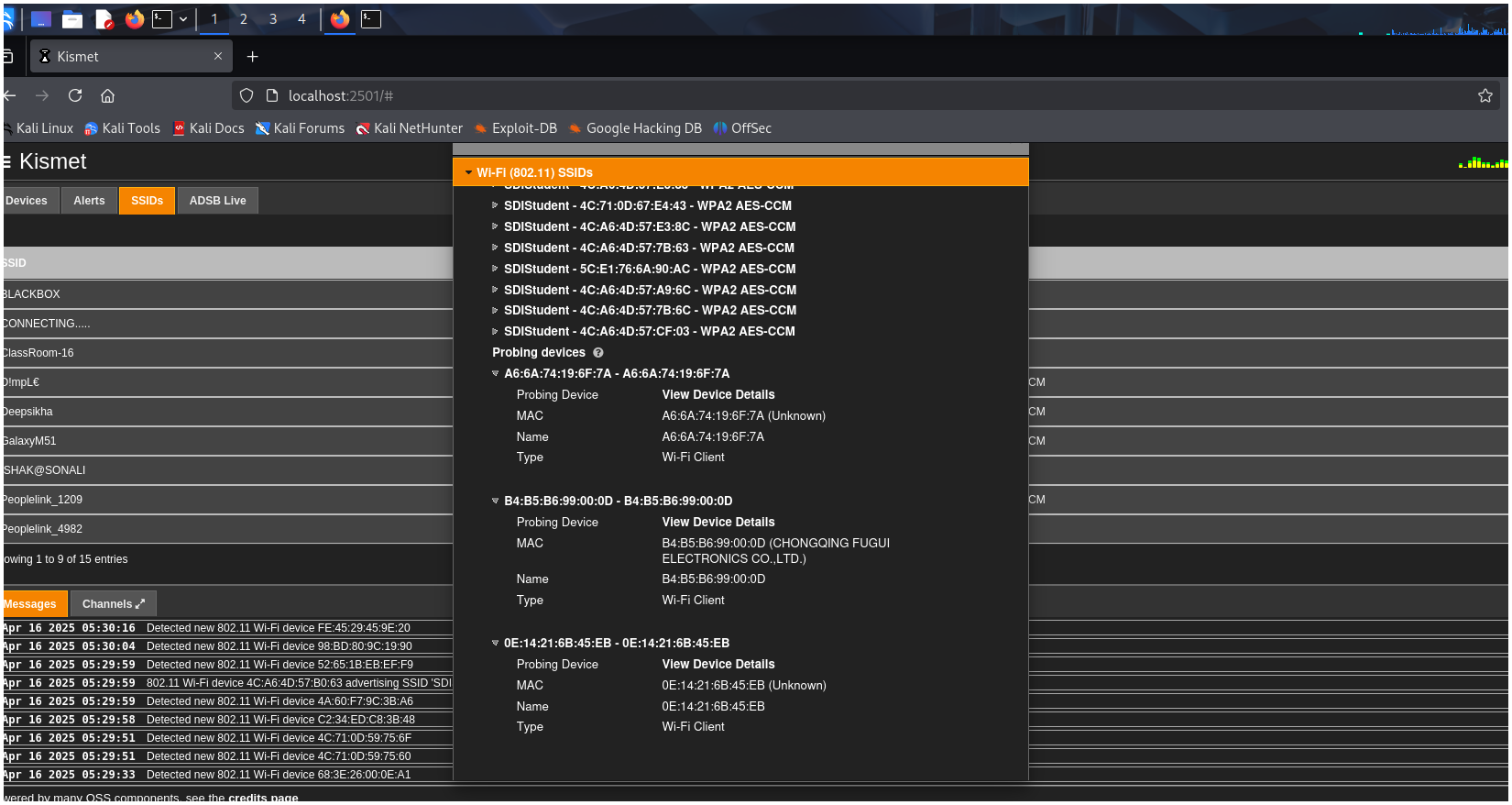
5. Connected Devices (Clients)
- Lists devices connected to each AP.
- Shows:
- Client MAC addresses
- Which BSSID they’re talking to
- Whether they're active or probing for networks
6. Packet Details
-
Kismet captures and decodes:
- Beacon frames
- Probe requests/responses
- Association/Disassociation frames
- Deauth packets (used in attacks)
-
Can be saved as
.pcapfor Wireshark analysis. -
It also shows the number of received packets and transferred packets.
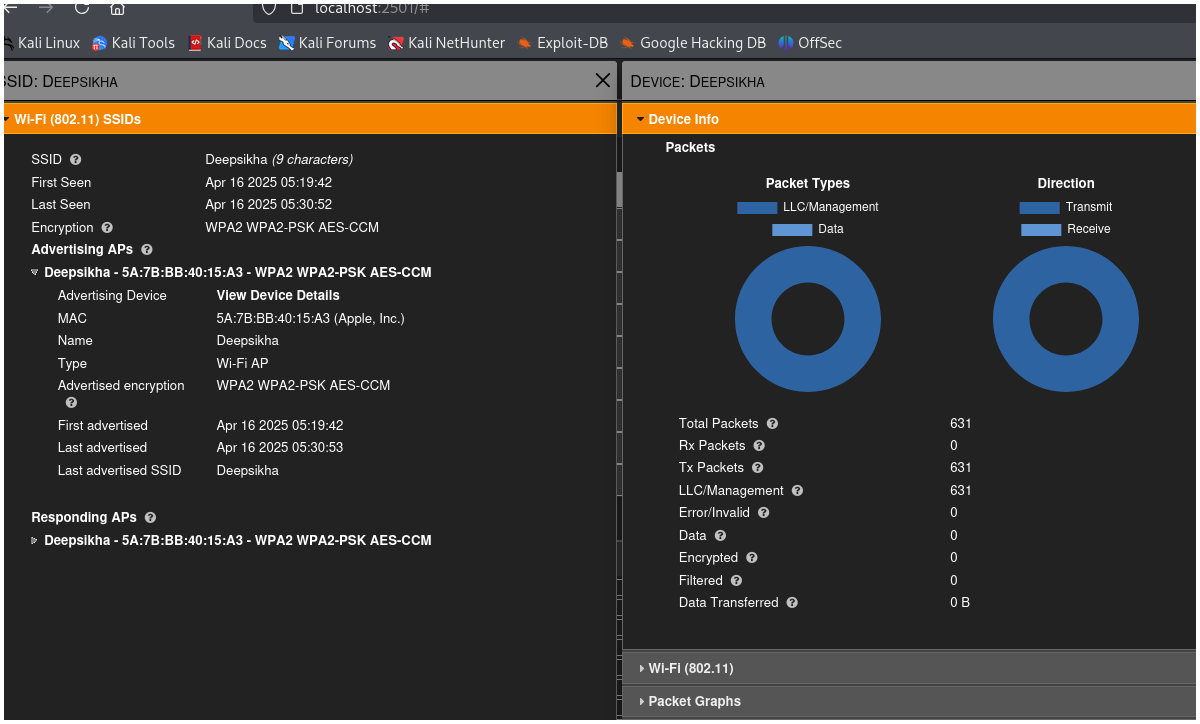
Rx - received packets
Tx - Transfer packets
llc- link layer control
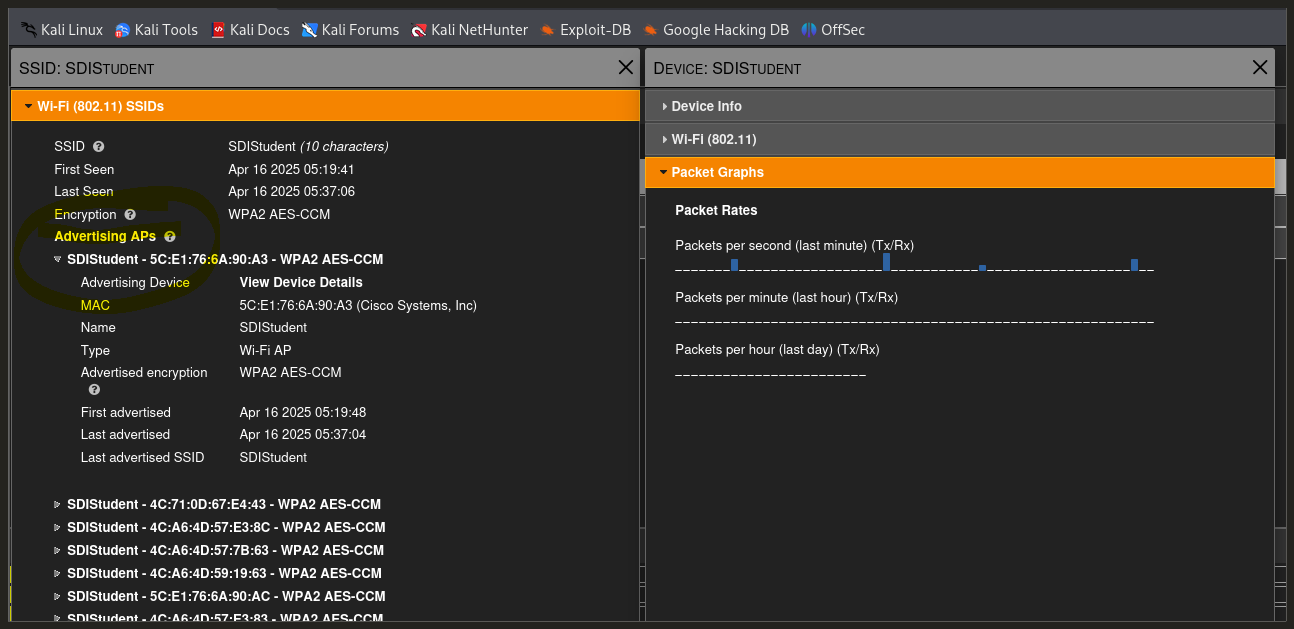
AP - access point (when someone is trying to connect)
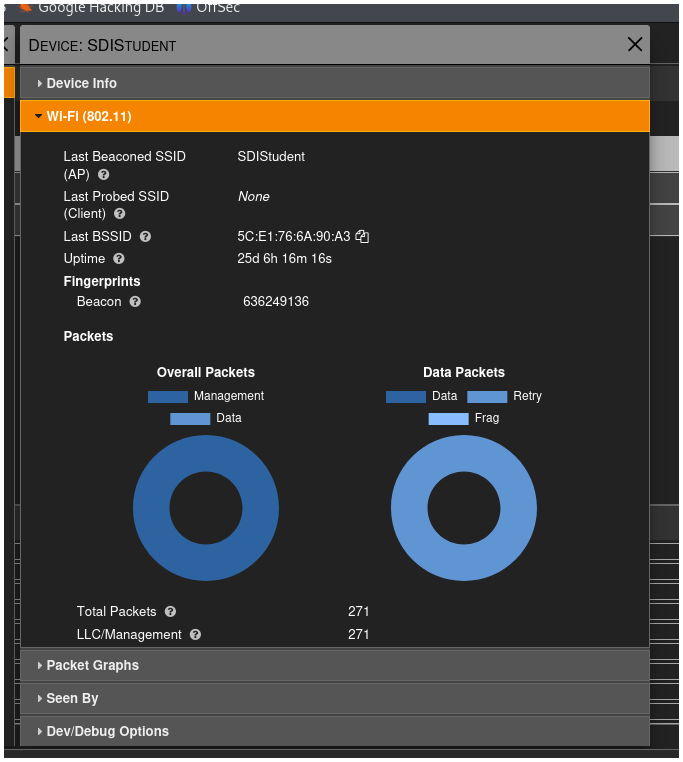
SSID vs. BSSID
| Term | Full Form | Meaning | Example |
|---|---|---|---|
| SSID | Service Set Identifier | The name of the Wi-Fi network | CoffeeShop_WiFi, MyHomeNetwork |
| BSSID | Basic Service Set Identifier | The MAC address of the Wi-Fi access point (AP) | 00:14:22:01:23:45 |